

 100% Security Verified | No Subscription Required | No Malware

Purple and cyan create a high-energy visual language that blends imagination with clarity. Purple often suggests creativity, ambition, and premium design, while cyan adds freshness, openness, and a digital sense of motion. Together, they can make technology-focused visuals feel both intelligent and expressive.
These Purple And Cyan Developer Tool Color palettes with HEX codes are useful for creators, designers, marketers, and Filmora users. Apply them to video intros, thumbnails, branding, UI concepts, title cards, social media edits, and product presentations to build a memorable visual identity.
In this article
Bold & Vibrant Purple And Cyan Developer Tool Color Palettes
Neon Code Current

- HEX Codes: #6f2dbd, #00d9c0, #191932, #a855f7, #b8fff4
- Mood: Energetic, futuristic, and highly digital.
- Use for: This palette works well for developer tool thumbnails, product launches, tech brand intros, and bold UI highlights.
Neon Code Current combines electric cyan with vivid purple for a fast-moving, futuristic feel. The dark navy base gives the brighter shades space to glow, creating a strong visual hierarchy for screens and motion graphics.
Use the palette for coding tutorials, technology explainers, animated intros, product launch videos, and thumbnails that need immediate impact. Cyan can emphasize buttons or key terms, while purple creates a recognizable creative accent across the edit.
Pro Tip: Enhance Your Purple And Cyan Developer Tool Color Visuals with Filmora
Filmora helps you carry the Neon Code Current look from the opening title to b-roll, transitions, captions, and end screens. Use the darker base for backgrounds, reserve cyan for motion and interface details, and apply vivid purple to logos or important visual beats.
For social edits, save the palette as a visual reference and repeat the same color relationships in your intro, thumbnail, lower thirds, and call-to-action screens. This consistency makes a technical project feel more polished and easier to recognize.
AI Color Palette
Creators can provide Filmora with a reference image, color card, or frame that contains the Neon Code Current palette. Filmora's AI Color Palette feature can help apply a similar color direction across clips, making footage from different sources feel more unified.
This is especially useful when a video includes screen recordings, camera footage, and animated graphics. A consistent purple and cyan treatment can connect these elements without requiring extensive manual correction.
 secure download

HSL, Color Wheels & Curves
Use HSL controls to fine-tune the balance between purple and cyan without affecting every color in the frame. You can increase cyan saturation for a cleaner digital glow, shift purple toward blue for a cooler cinematic mood, or soften highlights so bright interface details remain comfortable to view.
Color wheels and curves can add depth by cooling the shadows with cyan and placing restrained purple in the midtones. Keep skin tones and important neutral objects natural, then use curves to create a gentle contrast that makes the palette feel more cinematic.
secure download1000+ Video Filters & 3D LUTs
Filmora's video filters and 3D LUTs make it easy to stylize Neon Code Current footage quickly. Start with a cool digital or neon-inspired look, then reduce the intensity if you want the purple and cyan accents to remain refined.
Filters can help match live footage to animated overlays, while LUTs provide a fast starting point for product demos, tech reviews, and creator intros. Combine a filter with manual HSL adjustments for a finish that feels unique to your brand.
secure downloadQuantum Interface

- HEX Codes: #4c1d95, #06b6d4, #312e81, #67e8f9, #ddd6fe
- Mood: Confident, intelligent, and innovative.
- Use for: This palette is ideal for software landing pages, coding tutorials, technology explainers, and modern presentation graphics.
Quantum Interface pairs deep violet with bright cyan for a polished intelligence-driven look. The layered tones create clear contrast for screens, headings, and digital content while keeping the overall design professional.
Use deep violet for title cards and backgrounds, then bring in cyan for diagrams, cursor effects, or feature callouts. The pale lavender and light cyan shades are useful for secondary text, cards, and clean thumbnail details.
Electric Syntax

- HEX Codes: #7c3aed, #0891b2, #111827, #22d3ee, #c084fc
- Mood: Playful, sharp, and energetic.
- Use for: Use this palette for coding channel branding, social media graphics, app demos, and animated developer-focused video content.
Electric Syntax brings lively purple and cyan together with a dark coding-inspired base. It feels expressive while keeping text and interface details easy to read.
Try the bright cyan for animated lines, progress bars, and transitions, while purple can identify key sections or recurring brand elements. This combination is effective for coding channels, app demos, and fast social edits.
Elegant & Modern Purple And Cyan Developer Tool Color Palettes
Midnight Terminal
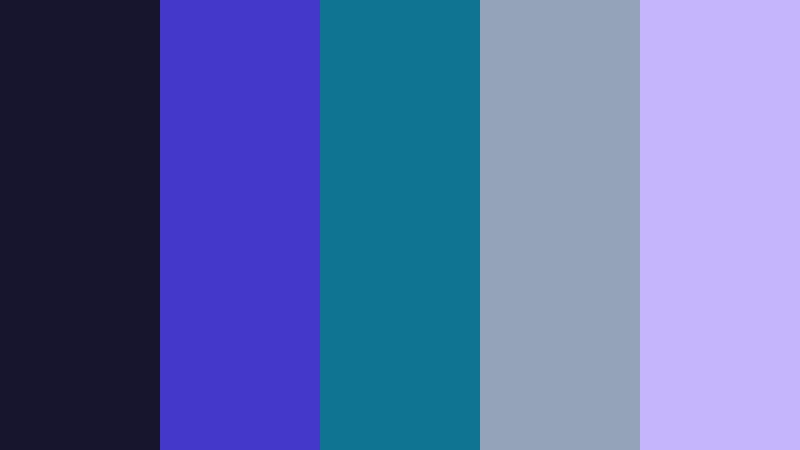
- HEX Codes: #17152e, #4338ca, #0e7490, #94a3b8, #c4b5fd
- Mood: Refined, focused, and quietly technical.
- Use for: This palette works well for developer dashboards, cinematic tech intros, portfolio websites, and sophisticated software branding.
Midnight Terminal uses dark navy-purple tones with restrained cyan accents for a premium technical mood. It is especially effective in dark mode interfaces and visual storytelling where atmosphere matters.
Use slate gray for supporting text and borders, then reserve cyan for active states or subtle lighting effects. In video, the palette can create a calm, cinematic opening for software portfolios, engineering stories, and product films.
Aurora Stack

- HEX Codes: #2e1065, #155e75, #7e22ce, #5eead4, #e0e7ff
- Mood: Calm, premium, and imaginative.
- Use for: Use this palette for SaaS branding, product walkthroughs, creative portfolios, and polished video title cards.
Aurora Stack blends cool cyan with layered violet shades to suggest depth and discovery. Its soft highlight color adds an approachable finish to technical visuals.
The palette works well for onboarding videos and SaaS presentations because it balances trust with creativity. Use the pale blue tone for open space, cyan for interactive details, and violet for moments that need emphasis.
Soft & Luminous Purple And Cyan Developer Tool Color Palettes
Lavender Circuit

- HEX Codes: #ede9fe, #c4b5fd, #67e8f9, #7c3aed, #164e63
- Mood: Gentle, creative, and approachable.
- Use for: This palette suits educational tech videos, friendly app interfaces, creator branding, and soft-gradient social content.
Lavender Circuit softens developer aesthetics with pale lavender and airy cyan. It creates a welcoming look for products that want to feel technical without appearing harsh.
Use the pale colors in backgrounds, cards, and title areas, then introduce violet or dark teal for readable text. This approach is useful for educational videos, beginner-friendly tutorials, and creator brands with a calm visual style.
Cloud IDE Glow

- HEX Codes: #f5f3ff, #ddd6fe, #a5f3fc, #8b5cf6, #155e75
- Mood: Light, optimistic, and modern.
- Use for: This palette is effective for cloud software campaigns, tutorial thumbnails, workspace illustrations, and clean interface mockups.
Cloud IDE Glow combines pale neutrals with soft cyan and friendly purple accents. The result is bright, organized, and well suited to approachable product design.
Its light foundation gives thumbnails plenty of breathing room, while the purple and teal accents guide attention to key features. Use it for workspace tours, cloud app explainers, and modern presentation templates.
Crystal Compile

- HEX Codes: #f0fdfa, #cffafe, #e9d5ff, #a78bfa, #0f766e
- Mood: Fresh, clear, and quietly sophisticated.
- Use for: Use this palette for minimalist product pages, app onboarding videos, explainer graphics, and clean technology packaging.
Crystal Compile creates a translucent, polished feeling with minty cyan and pale purple tones. Dark teal provides enough contrast for important labels and interface controls.
The palette is a strong choice when you want technical content to feel clean rather than intense. Apply the lighter colors to motion backgrounds and overlays, then use teal and violet for navigation, icons, and brand marks.
Playful & Creative Purple And Cyan Developer Tool Color Palettes
Pixel Prism
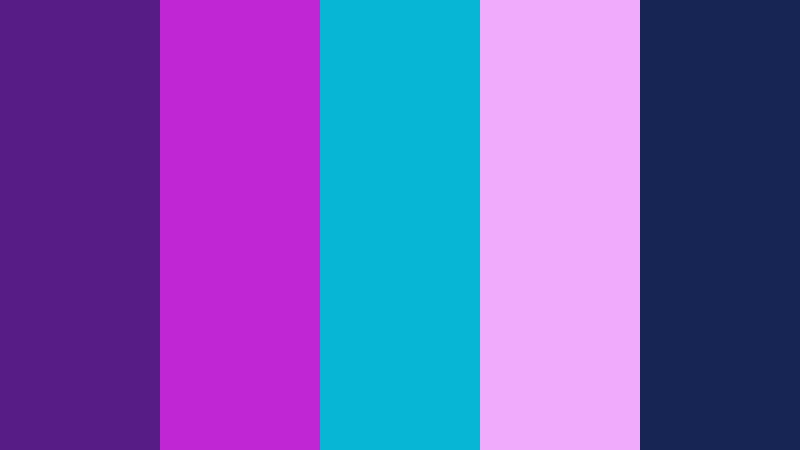
- HEX Codes: #581c87, #c026d3, #06b6d4, #f0abfc, #172554
- Mood: Expressive, playful, and experimental.
- Use for: This palette works well for gaming tools, creative coding content, animated reels, music visualizers, and energetic social graphics.
Pixel Prism adds magenta sparkle to a purple and cyan foundation for a more artistic digital mood. It is designed for creators who want their technology visuals to feel lively.
Use the dark blue base to prevent the brighter colors from becoming overwhelming. Magenta and pink can drive transitions or thumbnail accents, while cyan provides contrast in captions, icons, and animated interface elements.
Synthwave Builder
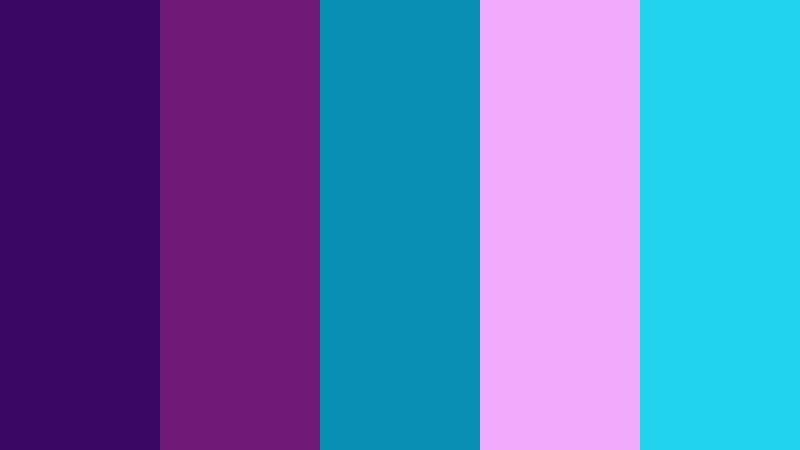
- HEX Codes: #3b0764, #701a75, #0891b2, #f0abfc, #22d3ee
- Mood: Retro-futuristic, vivid, and adventurous.
- Use for: Use this palette for tech event promos, developer livestreams, motion graphics, music-driven edits, and gaming-inspired interfaces.
Synthwave Builder channels retro digital energy through saturated purple, cyan, and pink. It brings instant personality to fast-paced video and interactive design.
Layer the darker purples behind neon cyan lines or glowing text to create a strong arcade-inspired look. The palette is ideal for livestream scenes, event trailers, gaming edits, and music-focused technology content.
Cosmic Debug

- HEX Codes: #1e1b4b, #6d28d9, #0891b2, #818cf8, #a7f3d0
- Mood: Curious, imaginative, and exploratory.
- Use for: This palette is a strong choice for educational content, developer communities, product demos, and imaginative technology storytelling.
Cosmic Debug pairs space-like indigo with lively cyan and a mint highlight. It feels exploratory and memorable while retaining enough structure for practical layouts.
Use indigo for a deep background, violet for section markers, and cyan for diagrams or moving data paths. Mint provides a soft contrast that works well for success states, learning milestones, and positive product messages.
Violet Data Bloom
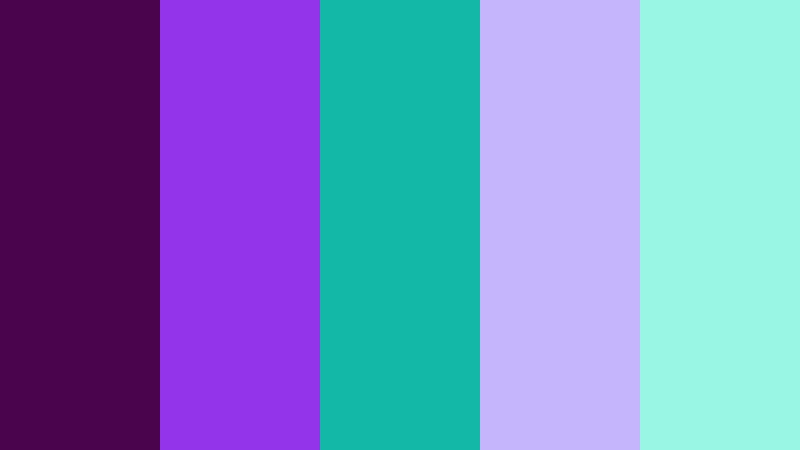
- HEX Codes: #4a044e, #9333ea, #14b8a6, #c4b5fd, #99f6e4
- Mood: Creative, vibrant, and optimistic.
- Use for: Use this palette for data visualization videos, creative agency branding, innovation reports, and colorful software feature callouts.
Violet Data Bloom gives technical visuals a botanical sense of growth through violet, teal, and mint. It is bright enough for attention while remaining balanced and professional.
The palette can make charts, reports, and feature showcases feel more inviting. Use violet to establish the brand identity, teal to separate data groups, and mint to highlight progress, results, or positive outcomes.
Tips for Creating Purple And Cyan Developer Tool Color Color Palettes
A successful Purple And Cyan Developer Tool Color palette should support the content instead of competing with it. Balance saturated accents with dark or pale neutrals, check text contrast at every size, and repeat the same color roles across your footage, graphics, thumbnails, and branding.
- Use a dark purple, navy, or slate tone as the main background when working with bright cyan and violet accents.
- Reserve the brightest cyan or magenta shades for calls to action, key words, icons, and short moments of emphasis.
- Check readability on mobile screens, especially for thumbnail text, subtitles, and small interface labels.
- Keep one color role consistent throughout the project, such as using cyan for interaction and purple for brand identity.
- Match the palette to the footage by adjusting saturation and contrast when scenes have different lighting conditions.
- Use pale lavender, mint, or off-white tones to create visual breathing room in layouts with several saturated colors.
- Test the palette in both bright and dark scenes so the branding remains recognizable throughout the edit.
- Save your favorite HEX codes and reuse them in titles, lower thirds, transitions, thumbnails, and social media templates.
Purple and cyan can shape a brand that feels creative, modern, and technically capable. Darker combinations create a cinematic developer aesthetic, while pale variations feel more welcoming for educational products and user-friendly software.
Whether you prefer a vivid neon look or a restrained interface style, these palettes provide a practical starting point for video and design projects. Adjust the brightness, saturation, and color roles to match your audience and content.
Try these Purple And Cyan Developer Tool Color combinations in Filmora to build consistent intros, b-roll treatments, animated titles, thumbnails, and promotional edits. Color matching, manual correction, filters, and LUTs can help you turn a promising palette into a complete visual system.
secure downloadNext: Orange And Slate Project Management App Color Color Palette
