

 100% Security Verified | No Subscription Required | No Malware


 ChatGPT
 Perplexity
 Gemini
 Claude
 Grok
Grok
Teal blue sits between blue and green, combining the calm of the ocean with a touch of energetic freshness. It often feels modern, trustworthy, and slightly dreamy, which makes it a favorite for lifestyle brands, wellness creators, tech channels, and cinematic edits. In thumbnails and intros, teal blue stands out on both light and dark backgrounds without looking too harsh, so it is great for drawing the eye while still feeling relaxed.
For video creators and Filmora users, a good teal blue color palette brings consistency across titles, overlays, transitions, and B-roll. The palettes below give you ready-made teal blue color combinations with HEX codes, so you can match your branding across YouTube thumbnails, vlogs, intros, lower thirds, and social posts with confidence.
In this article
Calm & Coastal Teal Blue Color Palettes
Oceanfront Dawn
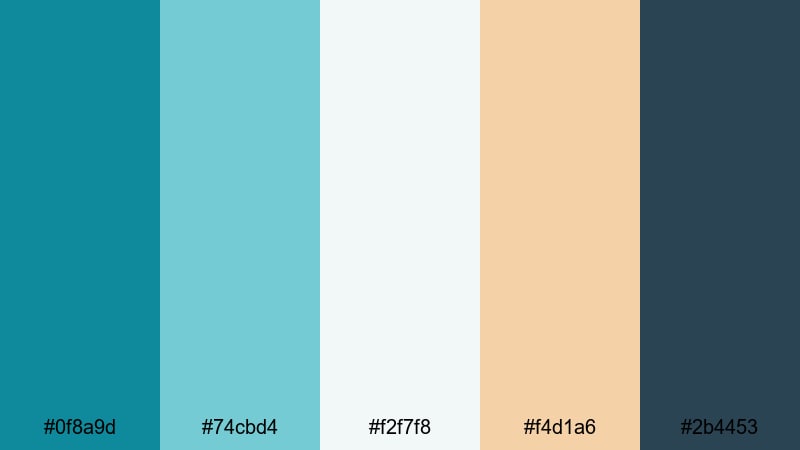
- HEX Codes: #0f8a9d, #74cbd4, #f2f7f8, #f4d1a6, #2b4453
- Mood: Peaceful, airy, and coastal with a gentle sunrise feel.
- Use for: Ideal for travel vlogs, beach vacation recaps, and soothing lifestyle intros.
Oceanfront Dawn blends soft teal blues with warm sand and a subtle deep accent, just like the shoreline at first light. The lighter tones (#74cbd4 and #f2f7f8) keep your visuals airy and bright, while the sandy highlight (#f4d1a6) adds warmth and a touch of nostalgia.
This palette works beautifully for relaxed travel vlogs, morning routines, and coastal B-roll where you want serenity without looking washed out. Use the deeper teal and navy (#0f8a9d and #2b4453) for titles, lower thirds, and logo locks, and let the pale tones carry your backgrounds, thumbnail frames, and soft intro animations in Filmora.
Pro Tip: Enhance Your Teal Blue Visuals With Filmora
When you build a calm teal blue look like Oceanfront Dawn, consistency is everything. In Filmora, you can save this palette as a reference and reuse the same HEX values for text, shapes, and overlays, so your whole video flow feels like one cohesive seaside story.
Apply the darker teal for your main title cards, use the light teal and off-white for backgrounds, then add the sandy accent on buttons and subscribe callouts. By reusing these tones across intros, B-roll labels, and end screens, your channel starts to develop a recognizable teal blue brand identity.
AI Color Palette
If you have a reference image of a teal blue beach scene or a brand board, Filmora's AI Color Palette feature can automatically transfer that color style to your entire video. You do not need to correct every clip by hand; AI reads the tones and applies a matching grade to the rest of your footage.
Import your hero clip or still frame that best represents the Oceanfront Dawn mood, then let AI Color Palette match other shots like close-ups, drone clips, and B-roll. This keeps your teal blues and sandy highlights uniform across travel recaps, shorts, and social cuts from the same project.
 secure download

HSL, Color Wheels & Curves
Even within the same palette, you may want some clips to feel more cinematic or moody. In Filmora, HSL, color wheels, and curves make it easy to nudge teal blue tones warmer or cooler, shift saturation, and control contrast. You can follow Filmora's guide to color correction in Filmora to learn how small adjustments change the emotional impact of your visuals.
Use HSL to selectively desaturate greens while keeping teal strong, use color wheels to add teal into shadows and a soft warm tint into highlights, and use curves to create a smooth S-curve for more depth. This gives your Oceanfront Dawn palette a cinematic finish while staying true to the original colors.
secure download1000+ Video Filters & 3D LUTs
To speed up your workflow, you can apply teal blue looks using Filmora's presets instead of grading from scratch. Filmora's video filters and 3D LUTs make it easy to experiment with different moods while keeping teal as your hero color.
Try soft cinematic filters for coastal vlogs, or subtle teal-and-orange LUTs for golden hour beach scenes. Once you find a filter that fits Oceanfront Dawn, save it as a custom preset and reuse it across episodes so your teal blue aesthetic stays consistent on your channel.
secure downloadHarbor Mist Serenity
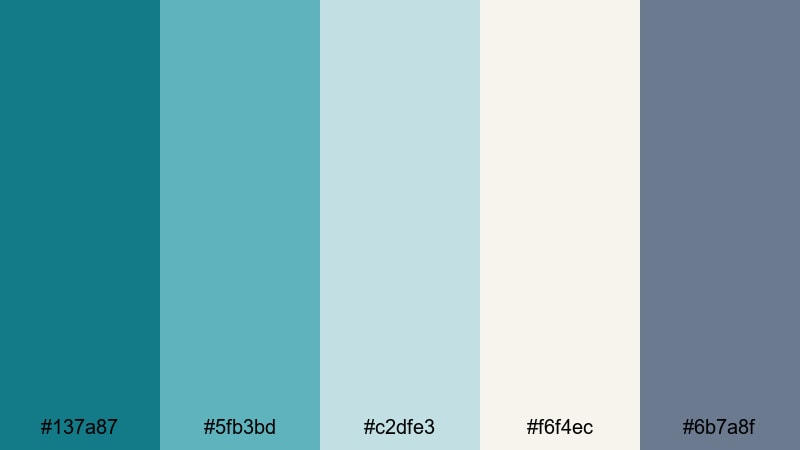
- HEX Codes: #137a87, #5fb3bd, #c2dfe3, #f6f4ec, #6b7a8f
- Mood: Calm, misty, and contemplative like a quiet harbor morning.
- Use for: Perfect for cinematic b-roll sequences, study-with-me content, and reflective documentaries.
Harbor Mist Serenity mixes muted teals with misty grays and soft off-whites to create a tranquil, overcast harbor mood. The palette feels grown-up and subtle, ideal for content where the story and pacing matter more than loud colors.
Use the deeper teal and slate (#137a87 and #6b7a8f) for legible titles and chapter markers, while the light neutrals (#c2dfe3 and #f6f4ec) make great backgrounds for text overlays, subtitles, and time-lapse captions in Filmora. It is a strong choice for study-with-me videos, reflective travel diaries, and soft spoken commentary where you want the visuals to support, not distract.
Tidal Sand Escape
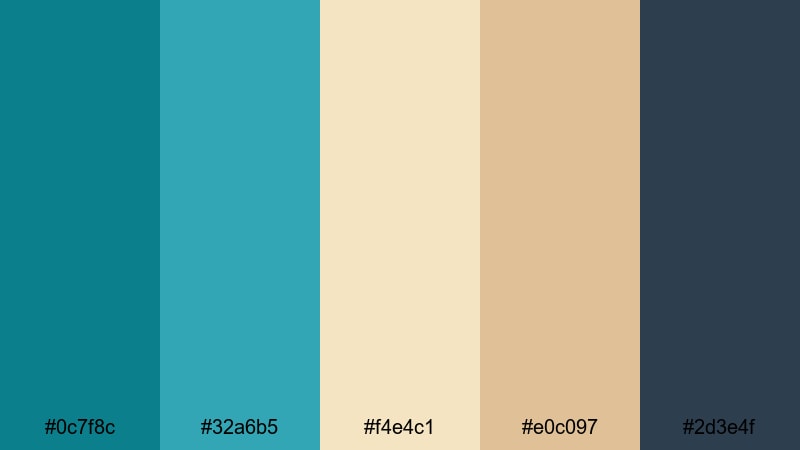
- HEX Codes: #0c7f8c, #32a6b5, #f4e4c1, #e0c097, #2d3e4f
- Mood: Relaxed, sunny, and grounded with a hint of ocean adventure.
- Use for: Great for travel reels, beach fashion lookbooks, and outdoorsy brand promos.
Tidal Sand Escape balances fresh teal blues with warm sand and tan, giving your visuals a sunlit yet grounded feeling. The brighter teal (#32a6b5) suggests clear water and vacation energy, while the neutrals (#f4e4c1 and #e0c097) keep the palette approachable.
In Filmora, use the teal shades on buttons, badges, and highlight text in your thumbnails, and let the warm neutrals sit behind product shots, outfit details, or location titles. The dark navy-gray (#2d3e4f) is ideal for body text, lower thirds, or logo outlines so everything stays readable even on mobile screens.
Seafoam Boardwalk Glow
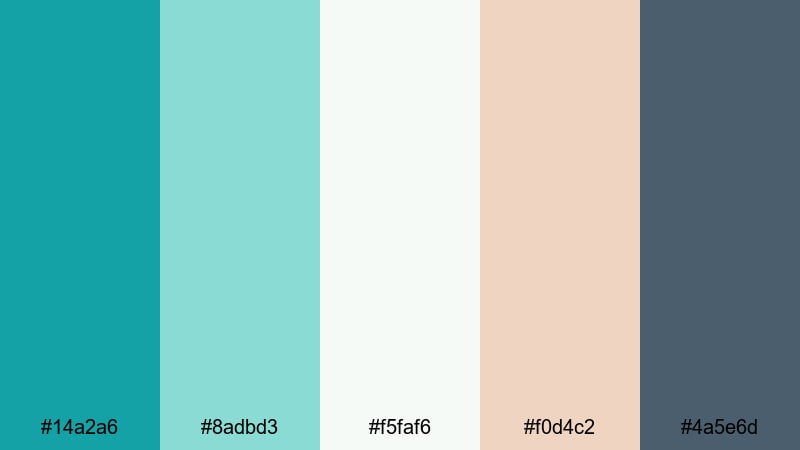
- HEX Codes: #14a2a6, #8adbd3, #f5faf6, #f0d4c2, #4a5e6d
- Mood: Fresh, breezy, and optimistic, like a glowing boardwalk at golden hour.
- Use for: Use for lifestyle channels, family vlogs, and bright travel thumbnails.
Seafoam Boardwalk Glow uses luminous seafoam teals and creamy highlights for a clean, sunlit look. The light tones (#8adbd3 and #f5faf6) make your frames feel open and inviting, perfect for upbeat content and family-friendly channels.
Use the deeper accent (#4a5e6d) for title bars, drop shadows, and outlines around key text in Filmora so your teal-blue elements stay readable. The warm cream (#f0d4c2) adds a soft golden-hour touch in intro cards and end screens, helping your teal blue aesthetic feel cheerful instead of cold.
Modern & Minimal Teal Blue Color Palettes
Nordic Glass Studio
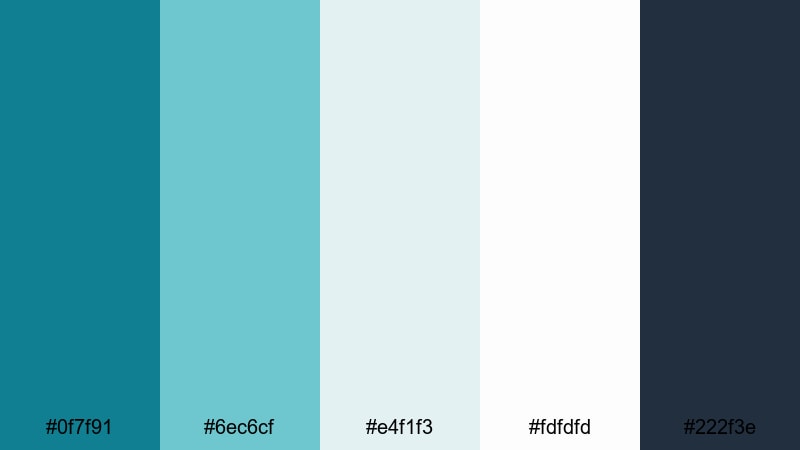
- HEX Codes: #0f7f91, #6ec6cf, #e4f1f3, #fdfdfd, #222f3e
- Mood: Clean, modern, and slightly cool with a Scandinavian studio feel.
- Use for: Ideal for tech explainers, design portfolios, and minimalist channel branding.
Nordic Glass Studio delivers crisp teal blues with plenty of white space and a deep charcoal anchor. It feels like a bright, polished studio with glass, light, and clean lines.
Use the dark charcoal (#222f3e) for your logo, navigation bars, and overlay text, while the teals (#0f7f91 and #6ec6cf) highlight key UI elements like subscribe buttons, progress bars, or product callouts in Filmora. The almost-white tones (#e4f1f3 and #fdfdfd) are perfect for minimal backgrounds in tech explainer videos, slide-style intros, and portfolio showcases.
Urban Aqua Grid
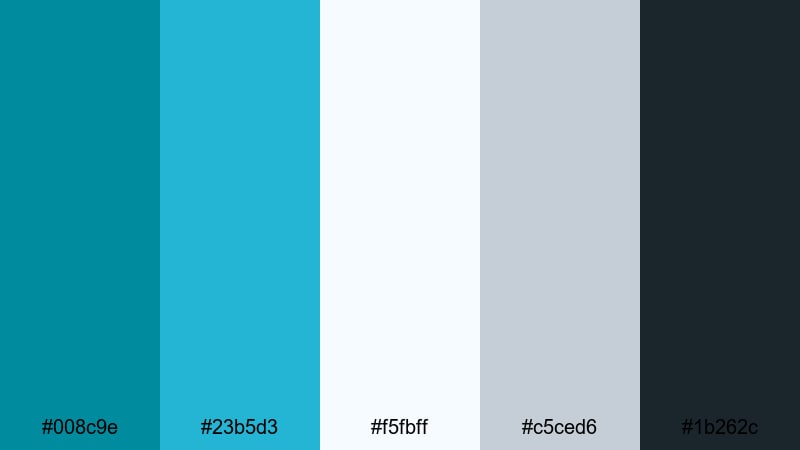
- HEX Codes: #008c9e, #23b5d3, #f5fbff, #c5ced6, #1b262c
- Mood: Structured, fresh, and tech-forward with an urban edge.
- Use for: Great for app promos, data visualizations, UI mockups, and channel overlays.
Urban Aqua Grid puts bold teal accents on top of cool, bluish neutrals. It feels like a clean dashboard or subway map, made for creators who want a smart, city-inspired style.
In Filmora, use the brighter teal (#23b5d3) to highlight charts, buttons, and call-to-action text in your overlays, while #1b262c provides a strong base for lower thirds and timer bars. The soft blues (#f5fbff and #c5ced6) make ideal backgrounds for screen recordings, app demos, and explainer scenes where you want high contrast but gentle brightness.
Clean Dashboard Teal
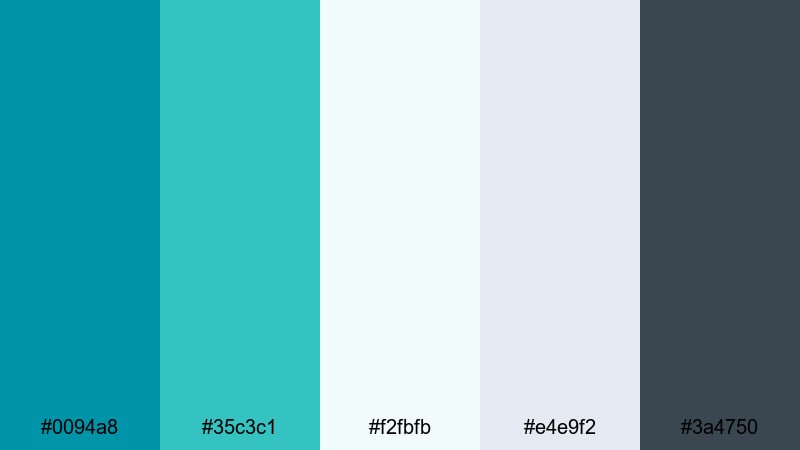
- HEX Codes: #0094a8, #35c3c1, #f2fbfb, #e4e9f2, #3a4750
- Mood: Organized, efficient, and bright like a modern analytics dashboard.
- Use for: Perfect for tutorials, productivity content, and SaaS product videos.
Clean Dashboard Teal combines energetic teal accents with light, organized grays and off-whites. It instantly suggests structure, clarity, and productivity.
Use the vivid teal blues (#0094a8 and #35c3c1) for progress bars, step numbers, checkmarks, and timeline markers in your Filmora templates. The subtle neutrals (#f2fbfb and #e4e9f2) are ideal for screenshotted interfaces, screen-recording backgrounds, and chapter cards, while #3a4750 keeps all your key text and icons clear at a glance.
Frosted Interface Lines
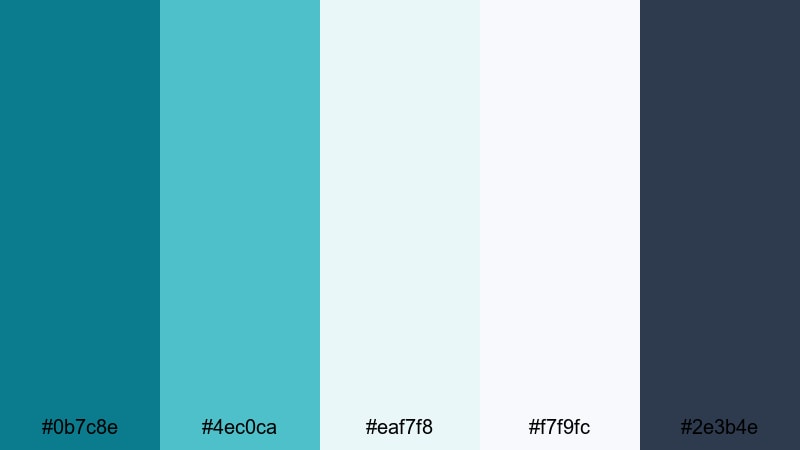
- HEX Codes: #0b7c8e, #4ec0ca, #eaf7f8, #f7f9fc, #2e3b4e
- Mood: Cool, airy, and minimal with a frosted glass interface feel.
- Use for: Use for product demos, software walkthroughs, and futuristic UI overlays.
Frosted Interface Lines channels an icy, futuristic interface with soft teals and frosted whites. It looks like a modern OS skin or smart device UI.
In Filmora, layer semi-transparent rectangles using the pale tones (#eaf7f8 and #f7f9fc) to create glass-like UI panels. Use the teals (#0b7c8e and #4ec0ca) for icons and active states, and the deep blue-gray (#2e3b4e) for text and timeline labels, giving your tutorials and product demos a polished, future-ready teal blue theme.
Bold & Cinematic Teal Blue Color Palettes
Neon Teal Nightfall
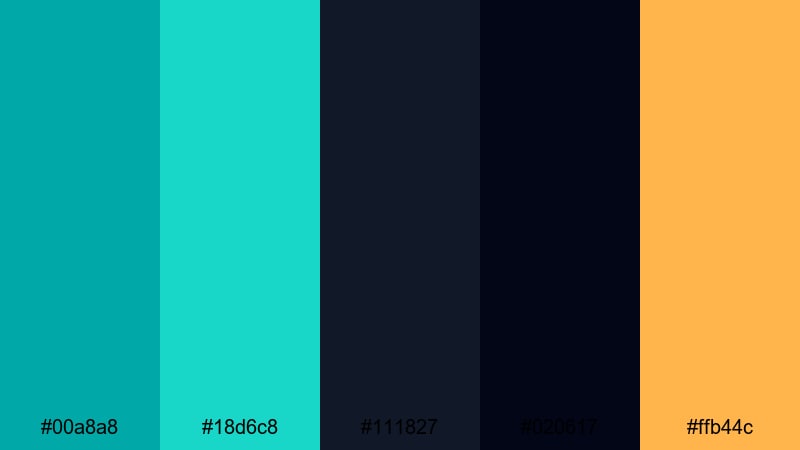
- HEX Codes: #00a8a8, #18d6c8, #111827, #020617, #ffb44c
- Mood: High-energy, dramatic, and cinematic with neon against deep night tones.
- Use for: Great for trailers, gaming intros, and high-impact YouTube thumbnails.
Neon Teal Nightfall pairs glowing teal highlights with inky blues and blacks, then adds a punch of golden accent. It feels like city lights reflected on wet asphalt, perfect for dramatic or gaming content.
Use the intense teals (#00a8a8 and #18d6c8) for outlines, glows, and animated strokes in Filmora, and let the dark tones (#111827 and #020617) carry your backgrounds for high-contrast titles. The gold (#ffb44c) is a powerful accent for subscribe buttons, badges, and key text in thumbnails that need to stand out in a busy feed.
Cyberwave Horizon
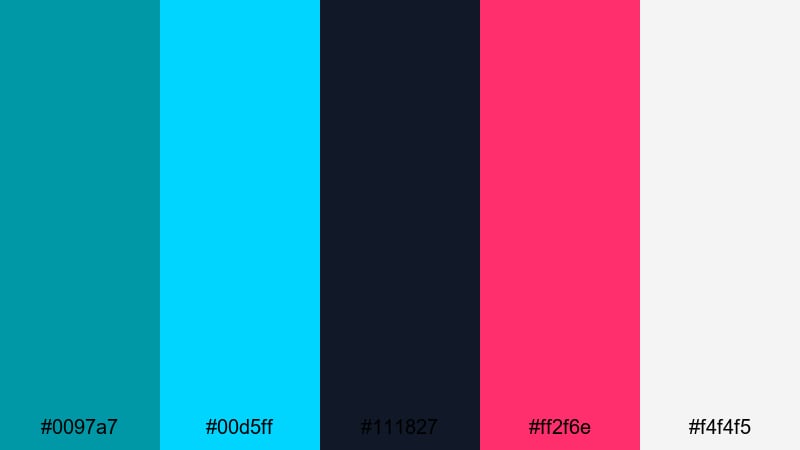
- HEX Codes: #0097a7, #00d5ff, #111827, #ff2f6e, #f4f4f5
- Mood: Energetic, futuristic, and vibrant with a synthwave edge.
- Use for: Perfect for tech intros, esports content, and music visualizers.
Cyberwave Horizon blends electric teals with hot magenta and deep shadow tones for a futuristic, synthwave flair. It feels like a neon skyline with digital glitch effects.
In Filmora, use #00d5ff for scan lines, audio-reactive edges, or visualizer bars, and #ff2f6e for accent beats and callouts in music or gaming intros. The off-white (#f4f4f5) keeps text readable while the dark background (#111827) lets your teal and magenta effects glow like neon.
Teal Ember Contrast
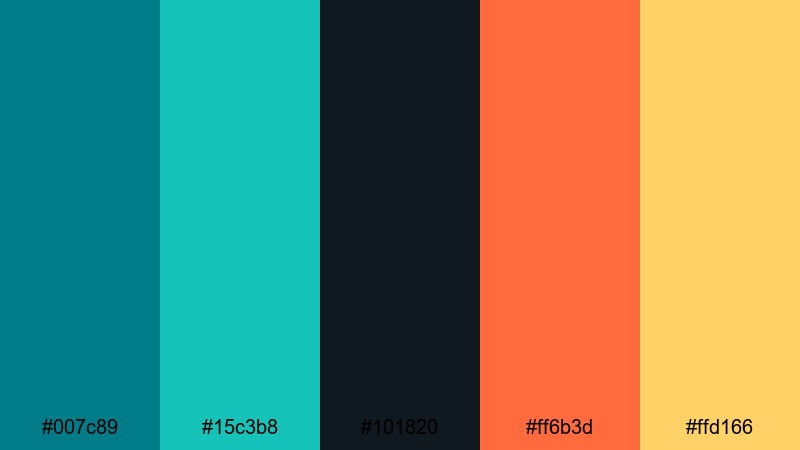
- HEX Codes: #007c89, #15c3b8, #101820, #ff6b3d, #ffd166
- Mood: Intense, dramatic, and cinematic with teal versus fiery accents.
- Use for: Ideal for cinematic b-roll, short films, and eye-catching channel trailers.
Teal Ember Contrast throws cool teal blues against fiery oranges and yellows for a classic cinematic clash. The deep shadow (#101820) gives plenty of space for dramatic lighting and bold typography.
Use the teals (#007c89 and #15c3b8) in your color grade to cool midtones, then let #ff6b3d and #ffd166 appear in text, flares, or light leaks for emotional emphasis. In Filmora, this palette is perfect for storytelling cuts, dramatic slow-motion B-roll, and trailers where you want every frame to feel like a movie still.
Electric Trailer Pulse
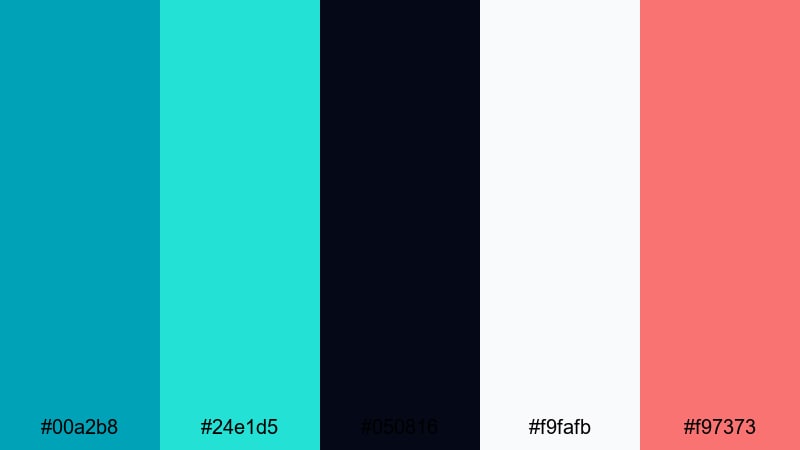
- HEX Codes: #00a2b8, #24e1d5, #050816, #f9fafb, #f97373
- Mood: Punchy, modern, and attention-grabbing with electric highlights.
- Use for: Use for channel intros, promo teasers, and social ad campaigns.
Electric Trailer Pulse uses bright teal lights and a sharp coral red against near-black shadows. The contrast feels modern and high-impact, ideal for snappy promos and hooks.
In Filmora, set #050816 as your base background for text animations and quick cuts, then let #00a2b8 and #24e1d5 drive strokes, neon edges, and glitch effects. Drop #f97373 into call-to-action text and icons so key messages pop instantly in trailers, shorts, and ad creatives.
Soft & Pastel Teal Blue Color Palettes
Cotton Sky Teal
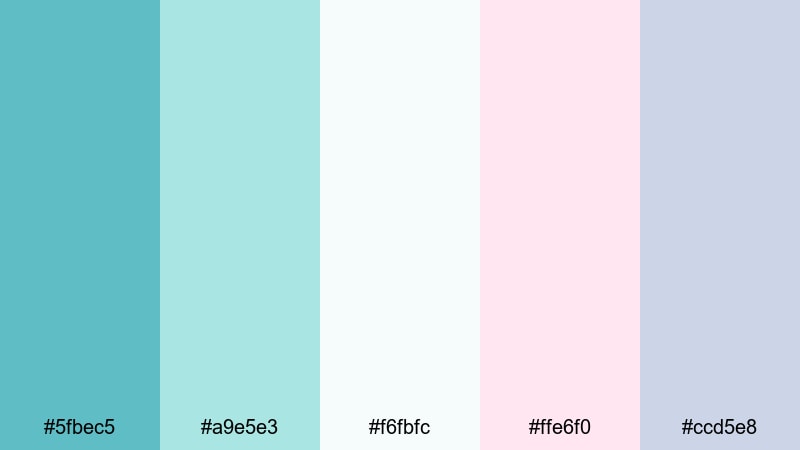
- HEX Codes: #5fbec5, #a9e5e3, #f6fbfc, #ffe6f0, #ccd5e8
- Mood: Gentle, dreamy, and airy like soft clouds over a teal sky.
- Use for: Great for wellness channels, planner videos, and cozy lifestyle content.
Cotton Sky Teal offers soft teal blues combined with blush and powdery blue, giving your visuals a cloudlike lightness. It feels friendly, pastel, and approachable, perfect for gentle storytelling and cozy content.
Use #5fbec5 for main headings and icons, while #a9e5e3 and #f6fbfc form light, breathable backgrounds in Filmora. The blush (#ffe6f0) and soft blue-gray (#ccd5e8) work well for accent boxes, chapter labels, and sticker-style graphics in planner videos, wellness routines, and soft-spoken vlogs.
Pastel Lagoon Dreams
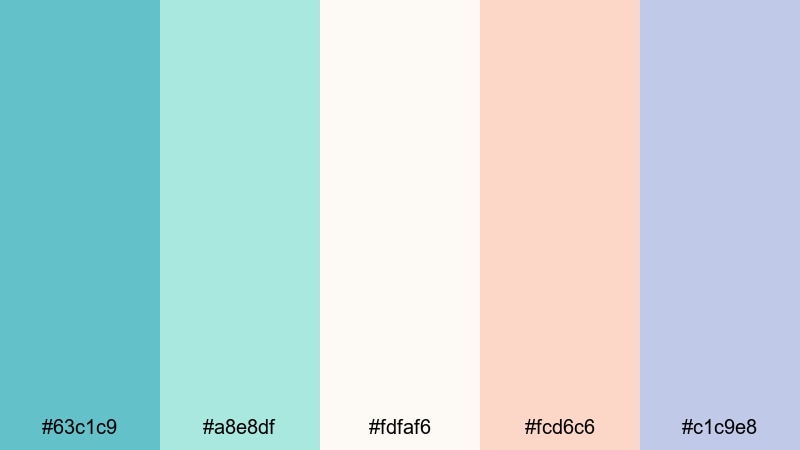
- HEX Codes: #63c1c9, #a8e8df, #fdfaf6, #fcd6c6, #c1c9e8
- Mood: Soft, whimsical, and soothing with a dreamy lagoon feel.
- Use for: Perfect for aesthetic reels, journaling videos, and soft product promos.
Pastel Lagoon Dreams surrounds teal blue with creams, peaches, and lavender-tinted blues. The result is soothing and whimsical, with just enough color to keep things fresh and modern.
In Filmora, let #63c1c9 guide your key teal accents and #a8e8df soften backgrounds and overlays. The warm pastel (#fcd6c6) is perfect for highlight boxes and button fills, while #c1c9e8 keeps text blocks and notes subtle but readable in aesthetic reels, journaling content, and gentle product showcases.
Minted Teal Whispers
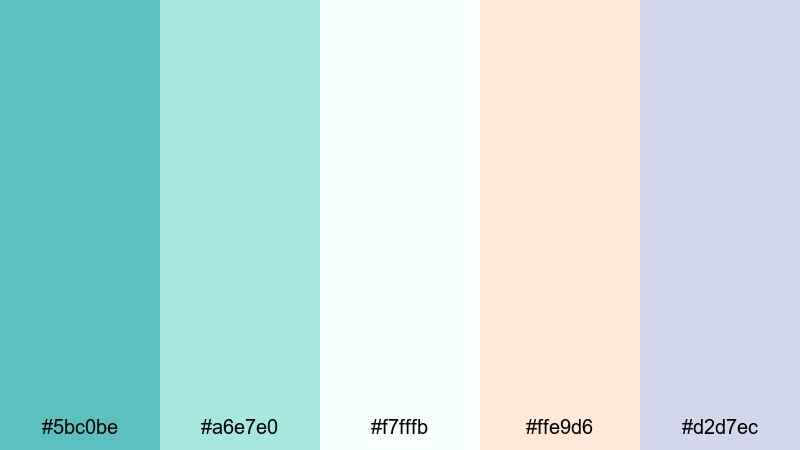
- HEX Codes: #5bc0be, #a6e7e0, #f7fffb, #ffe9d6, #d2d7ec
- Mood: Delicate, uplifting, and light with a minty freshness.
- Use for: Ideal for beauty content, soft brand intros, and calm educational videos.
Minted Teal Whispers combines minty teals with airy whites and warm cream, creating an uplifting and gentle palette. It feels fresh and clean, suitable for skincare, beauty, and calm educational content.
Use #5bc0be for logos, key icons, and accent lines in Filmora titles, and #a6e7e0 or #f7fffb for background blocks and lower thirds. The warm cream (#ffe9d6) and soft lavender-gray (#d2d7ec) add subtle elegance to product labels, infographic cards, and intro screens while keeping your teal blue aesthetic light and optimistic.
Tips for Creating Teal Blue Color Palettes
Teal blue is flexible enough to feel coastal, futuristic, or soft and pastel, depending on what you pair it with. When building your own teal blue color palette for video and design, keep these practical tips in mind so your visuals stay clear, consistent, and on brand.
- Choose a hero teal: Pick one main teal blue HEX code as your brand anchor, then use lighter and darker tones around it instead of mixing too many different teals.
- Balance warm and cool: Add a warm accent (sand, coral, gold, or peach) to keep teal from feeling too cold, especially for lifestyle, travel, and beauty content.
- Protect readability: Always check text contrast on mobile. Use dark teal or charcoal on light backgrounds, and light teal or white on dark teal or navy.
- Limit accent colors: In most teal blue palettes, stick to 1–2 accent colors besides teal (for example, sand and navy, or magenta and off-white) to avoid visual noise.
- Match your footage: If your footage already leans warm (lots of skin tones and sunsets), choose warmer neutrals with teal. For cooler, techy clips, pair teal with grays and crisp whites.
- Use depth and hierarchy: Reserve the strongest teal or brightest accent for calls to action (subscribe, sign up) and key titles so the viewer knows where to look first.
- Stay consistent across formats: Reuse the same teal blue HEX codes in your Filmora titles, thumbnails, channel banners, and social posts so your brand is instantly recognizable.
- Test in grayscale: Quickly preview your designs in grayscale to ensure contrast is strong enough; if everything blends together, darken your text color or lighten your backgrounds.
Teal blue color palettes can make your videos feel calm and coastal, sleek and modern, or bold and cinematic, depending on how you combine them with neutrals and accents. Whether you are designing thumbnails, intros, or full visual identities, a clear teal blue scheme helps viewers connect your content with a specific mood and brand personality.
Use these 15 ready-made palettes as starting points, then refine them inside Filmora with AI Color Palette, HSL, color wheels, curves, filters, and LUTs. By reusing the same teal blue combinations across your edits, you build a consistent visual language that stands out in any feed.
Open your next project in Filmora, drop in one of these HEX-based palettes, and start experimenting with titles, overlays, and grades until your teal blue look feels uniquely yours.
secure downloadNext: Teal Green Color Palette
