

 100% Security Verified | No Subscription Required | No Malware


 ChatGPT
 Perplexity
 Gemini
 Claude
 Grok
Grok
Green, blue, and orange form one of the most balanced and eye-catching color trios in modern design. Green suggests growth, health, and nature; blue feels calm, trustworthy, and digital; orange adds warmth, energy, and urgency. Together, these hues can look fresh and friendly or bold and cinematic, depending on the exact shades and contrast you choose.
For video creators, YouTubers, and designers, a smart green blue orange color palette helps thumbnails stand out, intros feel memorable, and on-screen text stay readable on any device. Below you will find ready-made green blue orange color combinations with HEX codes you can copy straight into your thumbnails, channel branding, overlays, and Filmora projects to keep your visuals consistent from video to video.
In this article
Soft & Serene Green Blue Orange Palettes
Coastal Morning Mist
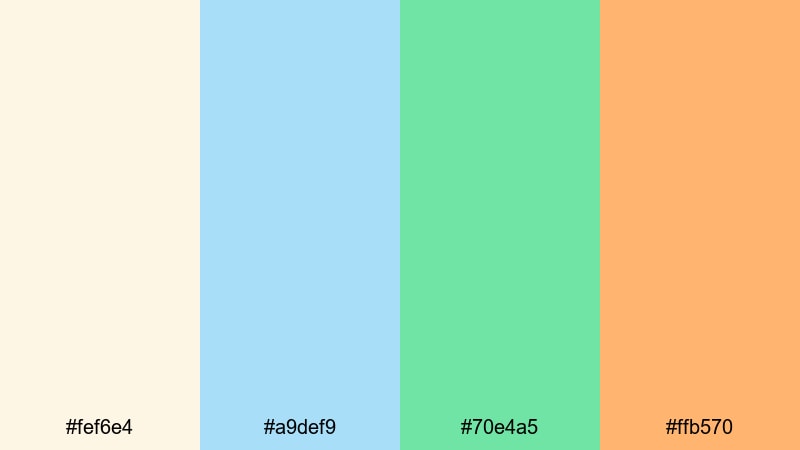
- HEX Codes: #fef6e4, #a9def9, #70e4a5, #ffb570
- Mood: Calm, breezy, and welcoming, like an early walk along a quiet shoreline.
- Use for: Ideal for travel vlog titles, calming lifestyle intros, and soft tutorial backgrounds.
This palette feels like soft sand under your feet and cool air on your face. The pale cream and powdery blue create a light, airy base, while the fresh green and gentle orange add just enough warmth to keep everything friendly instead of flat.
Use Coastal Morning Mist for welcoming YouTube channel banners, intro cards for travel or lifestyle vlogs, and background colors behind delicate typography. It works beautifully for thumbnails that should look approachable rather than intense, and for lower thirds or overlays in Filmora where you want an inviting, beachy green blue orange vibe without going neon.
Pro Tip: Build a Soft Green Blue Orange Look in Filmora
Soft palettes can easily shift too cold or too warm once you start mixing different cameras, stock footage, and graphics. In Filmora, you can keep a gentle green blue orange look consistent by sampling your key tones from a color card or brand board and reusing those HEX codes in your titles, shapes, and backgrounds.
For example, use the creamy #fef6e4 for main backgrounds or text boxes, the light blue #a9def9 for accent lines, and the green #70e4a5 or orange #ffb570 for call-to-action buttons or highlight text. Save these as custom colors inside Filmora so every intro, B-roll label, and end screen stays on-brand.
AI Color Palette
If you already have a thumbnail or photo that nails your ideal coastal look, you can turn it into a reference for your whole video. Filmora's AI Color Palette feature lets you pick colors from that reference and intelligently apply the same tone and mood across multiple clips.
Drop your lifestyle or travel footage onto the timeline, choose your reference still, and let AI handle the heavy lifting. This keeps your greens, blues, and oranges aligned, so your vlog feels like one cohesive story instead of a mix of random shots.
 secure download

HSL, Color Wheels & Curves
To perfect a soft, serene aesthetic, you can fine-tune individual color ranges in Filmora. Use the HSL sliders to gently push your blues toward a lighter sky tone and your greens toward a fresh mint, while keeping oranges soft and pastel. Then use the color wheels to warm up midtones or cool down shadows, depending on whether you want sunrise gold or misty blue as the main mood.
For even more control, use curves to lower contrast in the shadows and lift highlights slightly, creating a hazy, dreamy feel that works well with calm vlogs and lifestyle content. You can also follow Filmora's color correction tips to keep skin tones natural while you stylize your greens, blues, and oranges.
secure download1000+ Video Filters & 3D LUTs
Once your base colors are in place, Filmora's video filters and 3D LUTs make it easy to add final polish. Choose subtle cinematic or pastel-style filters to soften contrast and unify clips shot at different times of day.
You can also experiment with teal-and-orange or film emulation LUTs, then dial them back so your greens and blues stay gentle rather than intense. Saving your favorite combinations as presets lets you apply the same soft coastal look to intros, titles, Shorts, and long-form edits in just a few clicks.
secure downloadGarden Pool Daydream
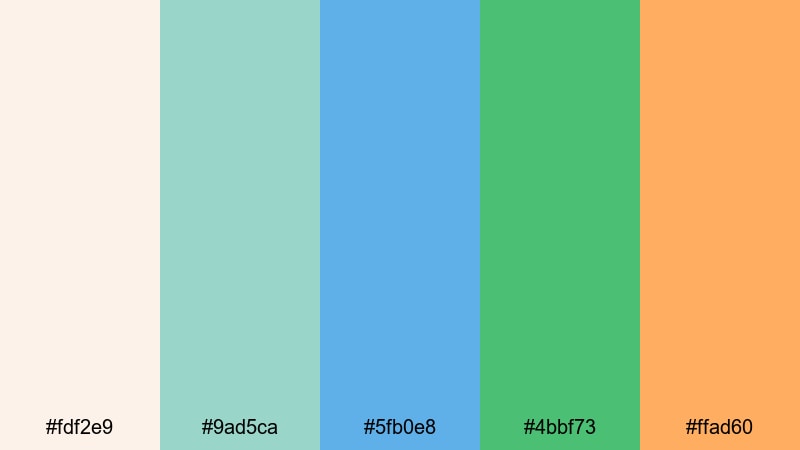
- HEX Codes: #fdf2e9, #9ad5ca, #5fb0e8, #4bbf73, #ffad60
- Mood: Fresh, light, and dreamy with a hint of playful warmth.
- Use for: Great for wellness channels, day-in-the-life vlogs, and gentle product explainer videos.
Garden Pool Daydream feels like a slow weekend afternoon by the pool, surrounded by plants and soft sunlight. Creamy neutrals, aqua blues, leafy greens, and a mellow orange accent keep the palette fresh without becoming loud.
Use it for wellness thumbnails, skincare or self-care explainers, and calming day-in-the-life edits. In Filmora, combine the soft cream as a background with green or blue shapes behind your titles, then reserve the orange #ffad60 for buttons, timeline markers, or key phrases that need a gentle highlight.
Citrus Seafoam Breeze
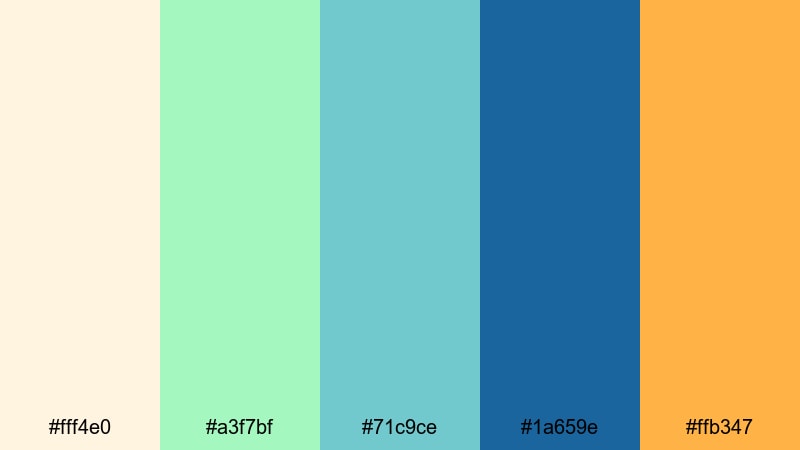
- HEX Codes: #fff4e0, #a3f7bf, #71c9ce, #1a659e, #ffb347
- Mood: Uplifting and refreshing, like citrus slices in sparkling ocean water.
- Use for: Use for refreshing channel branding, recipe videos, or spa and self-care edits.
This palette mixes minty greens, seafoam blues, and a juicy orange accent against a light background. It feels clean and energizing, perfect for content that should look healthy, hydrating, or spa-like.
Apply Citrus Seafoam Breeze to recipe shorts, smoothie or juice thumbnails, and spa promo intros. Use the deeper blue #1a659e for readable text and outlines, the mint and seafoam for backgrounds or overlays, and the bright orange #ffb347 as a final accent on subscribe buttons or discount tags.
Pastel Tide Sunrise
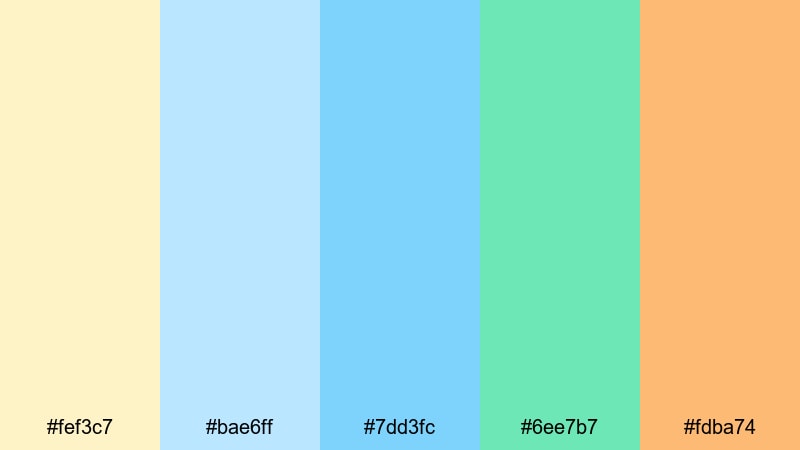
- HEX Codes: #fef3c7, #bae6ff, #7dd3fc, #6ee7b7, #fdba74
- Mood: Peaceful, hopeful, and softly luminous like dawn over the ocean.
- Use for: Perfect for motivational montages, channel trailers, and dreamy B-roll sequences.
Pastel Tide Sunrise captures the moment when the sky is still soft and the water gently reflects orange light. The combination of light blues, aqua, mint, and a glowing orange feels optimistic and airy.
Use it for motivational reels, cinematic B-roll, or channel trailers where you want a hopeful tone. In Filmora, you can pair pale yellow and blue backgrounds with floating text, then add orange #fdba74 shapes or lines to guide the eye toward key calls to action.
Bold & Energetic Green Blue Orange Palettes
Neon Surf Rush
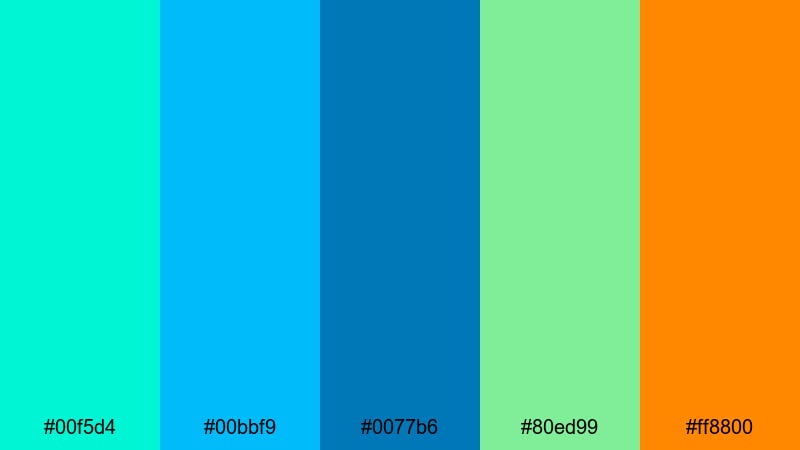
- HEX Codes: #00f5d4, #00bbf9, #0077b6, #80ed99, #ff8800
- Mood: High-energy, electric, and modern with a digital surf vibe.
- Use for: Ideal for sports highlights, fast-paced travel edits, and gaming channel intros.
Neon Surf Rush is all about impact. Punchy teals, saturated blues, neon green, and a hot orange accent make every frame feel fast and alive. It has a digital, slightly futuristic feel that works well with motion graphics and glitch transitions.
Use this combo for high-energy intros, title cards for sports or travel challenges, and gaming overlays. In Filmora, set your main background to a deep blue #0077b6 or cyan #00bbf9, then use neon green and orange for HUD-style elements, kill counters, or dynamic subtitles.
Stadium Lights Hype
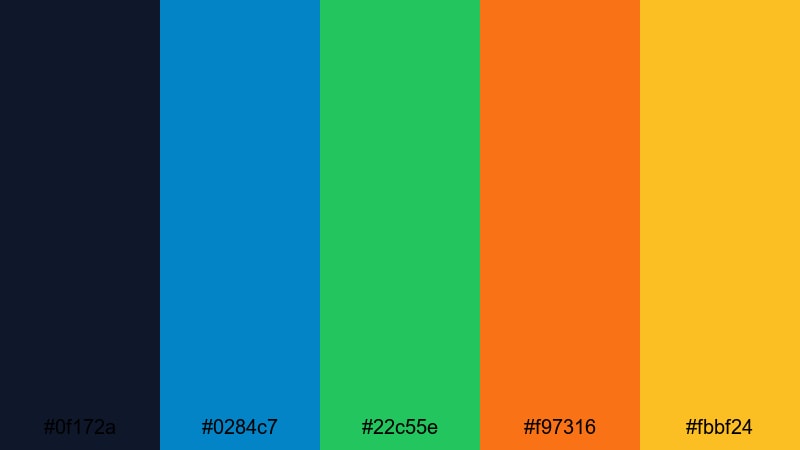
- HEX Codes: #0f172a, #0284c7, #22c55e, #f97316, #fbbf24
- Mood: Epic, competitive, and intense like a night game under bright lights.
- Use for: Use for sports recaps, challenge videos, and hype reels that need strong contrast.
Stadium Lights Hype pairs a deep navy backdrop with bright, saturated accents. The blues and greens feel competitive and modern, while the orange and golden yellow add that explosive, under-the-floodlights energy.
This palette is perfect for sports highlight reels, challenge thumbnails, and any video where you want drama and contrast. In Filmora, combine the navy #0f172a as your full-frame background with bold blue or green text, then use orange #f97316 and yellow #fbbf24 to highlight scores, timers, or callouts.
Tropical Festival Burst
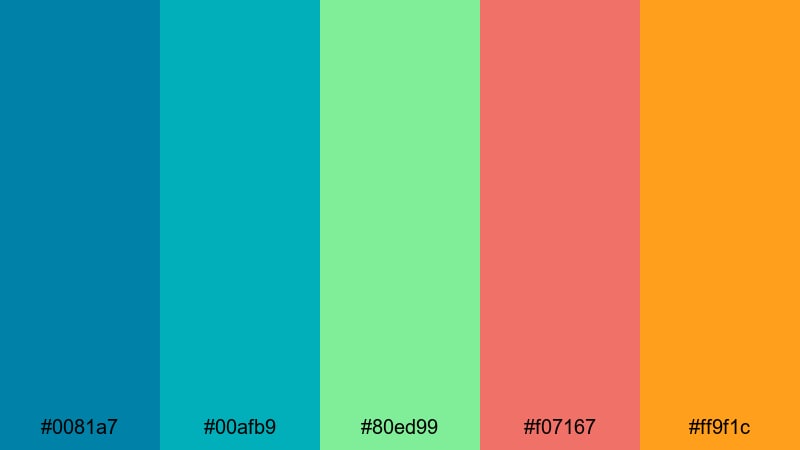
- HEX Codes: #0081a7, #00afb9, #80ed99, #f07167, #ff9f1c
- Mood: Festive, sun-drenched, and social, like a beach party at golden hour.
- Use for: Great for event recaps, music festival edits, and fun summer vlog series branding.
Tropical Festival Burst brings together bright ocean blues, lush greens, and bold oranges with a coral twist. It feels like a summer celebration, packed with color and movement.
Use it for party recaps, festival highlights, or summer vlog intros. In Filmora, pair teal #00afb9 and blue #0081a7 with green #80ed99 for backgrounds and overlays, and let the coral #f07167 and orange #ff9f1c handle attention-grabbing text, lower thirds, and animated stickers.
Gamer HUD Charge
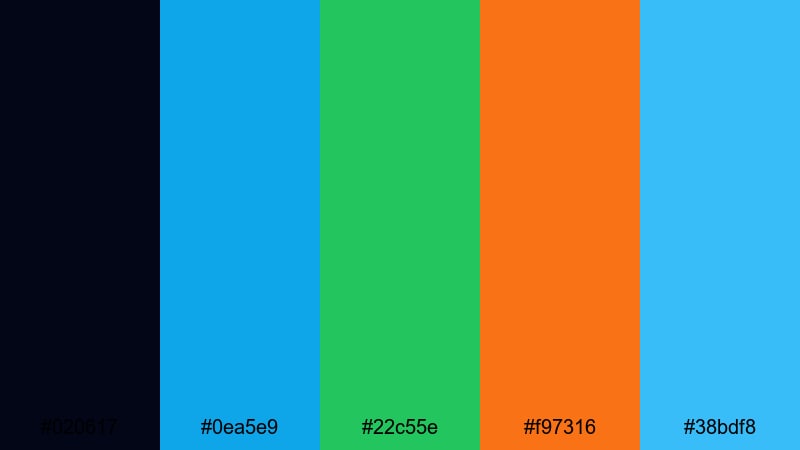
- HEX Codes: #020617, #0ea5e9, #22c55e, #f97316, #38bdf8
- Mood: Techy, neon-charged, and competitive, inspired by game HUD overlays.
- Use for: Designed for gaming overlays, esports intros, and tech review channels.
Gamer HUD Charge uses an inky black base with laser-bright blues, greens, and orange highlights. It feels like a game interface brought to life on your video timeline.
Apply it to your gaming intros, stream highlight compilations, or tech product reviews. In Filmora, use the near-black #020617 for full-screen backgrounds, then build neon lines, panels, and HUD graphics with the blues and green. Reserve the orange #f97316 for kill streak counters, notifications, or subscribe prompts.
Modern & Minimal Green Blue Orange Palettes
Clean Dash Interface
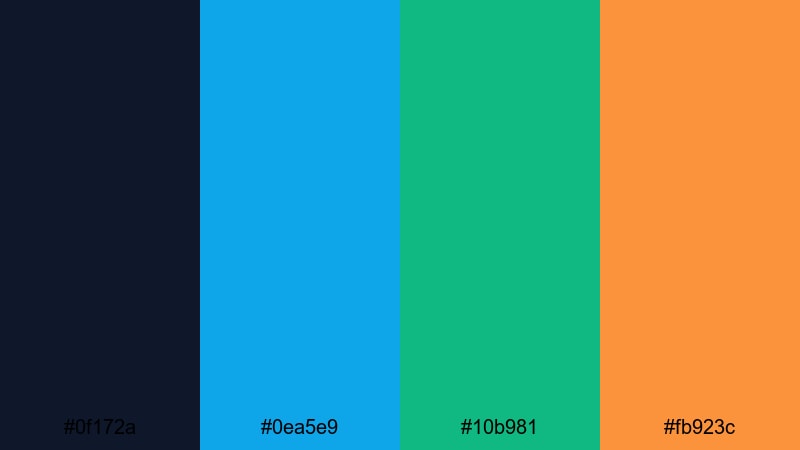
- HEX Codes: #0f172a, #0ea5e9, #10b981, #fb923c
- Mood: Sharp, focused, and efficient with a streamlined UI feel.
- Use for: Perfect for app demos, SaaS promos, and explainer videos that need clarity.
Clean Dash Interface looks like a modern analytics dashboard. A dark navy base supports crisp blue, green, and orange accents that guide the viewer's eye to key data.
Use it in product demos, software explainers, or startup pitch videos. In Filmora, you can structure your frames like UI cards: navy #0f172a backgrounds, blue #0ea5e9 for main headings, green #10b981 for success states or growth metrics, and orange #fb923c for warnings or CTAs.
Fresh Brand Snapshot
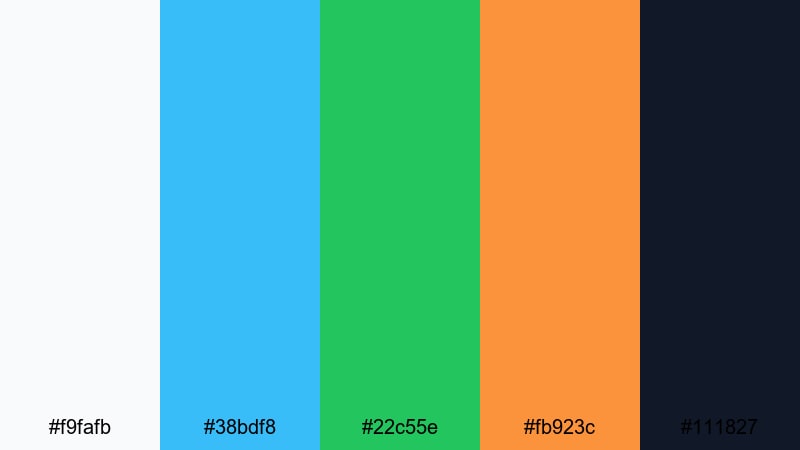
- HEX Codes: #f9fafb, #38bdf8, #22c55e, #fb923c, #111827
- Mood: Bright, trustworthy, and contemporary with strong brand potential.
- Use for: Use for channel rebrands, logo animations, and social content templates.
Fresh Brand Snapshot combines a clean off-white and deep charcoal with bold blue, green, and orange accents. It feels like a professional tech or creative brand that still has personality.
Use it when you are reworking your channel identity, building lower-third templates, or designing end screens. In Filmora, keep most of the frame light (#f9fafb), use charcoal #111827 for body text, and rotate the blue, green, and orange accents for icons, badges, and buttons to create a consistent but flexible branding system.
Startup Launch Gradient
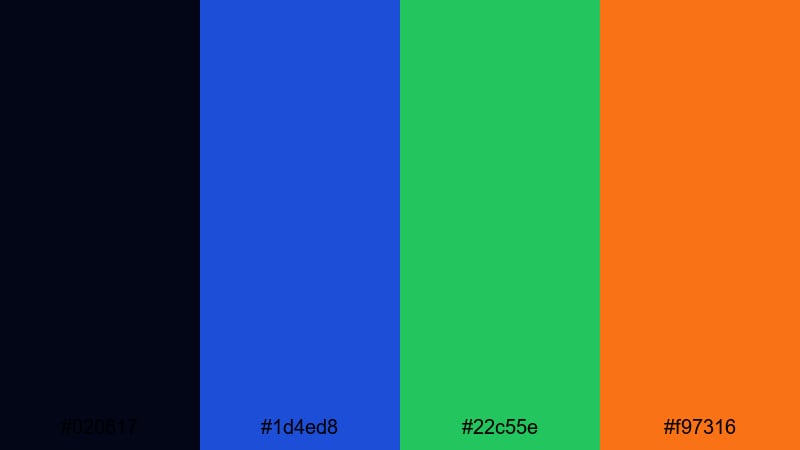
- HEX Codes: #020617, #1d4ed8, #22c55e, #f97316
- Mood: Ambitious, energetic, and tech-forward, made for launch moments.
- Use for: Ideal for pitch videos, product launch teasers, and animated logo stingers.
Startup Launch Gradient uses a deep, almost black base with luminous blue, green, and orange accents. It feels like a high-end product launch screen or a keynote slide brought into motion.
Use it for logo reveals, launch teasers, and pitch intros. In Filmora, build gradients that run from blue #1d4ed8 into green #22c55e with orange #f97316 as a final accent. Apply them to animated backgrounds, button hovers, and subtle light sweeps behind your titles.
Urban Metro Signals
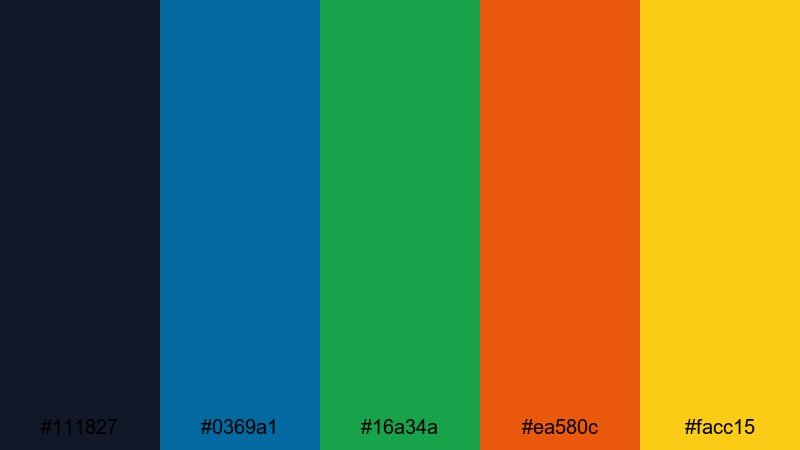
- HEX Codes: #111827, #0369a1, #16a34a, #ea580c, #facc15
- Mood: Structured, urban, and alert like metro signage at rush hour.
- Use for: Great for city vlogs, productivity videos, and infographic-heavy explainers.
Urban Metro Signals pairs deep charcoal with signal blues, greens, and oranges plus a bright yellow. It reads clearly and quickly, just like good city wayfinding signs.
This palette is strong for productivity content, city travel vlogs, and infographic-style explainers. In Filmora, use the dark #111827 as a base, then let the blue, green, orange, and yellow colors mark different categories, sections, or chapters in your video for instant visual organization.
Retro & Cinematic Green Blue Orange Palettes
VHS Beach Holiday
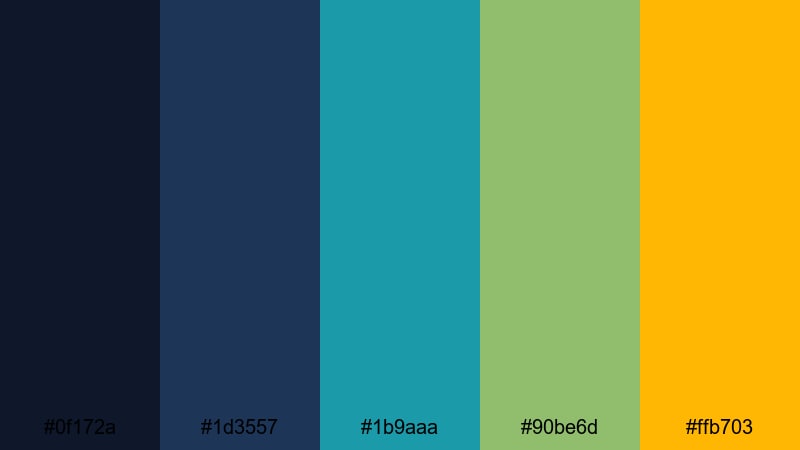
- HEX Codes: #0f172a, #1d3557, #1b9aaa, #90be6d, #ffb703
- Mood: Nostalgic, cinematic, and sun-faded like an old vacation tape.
- Use for: Perfect for retro travel edits, nostalgic storytimes, and filmic title cards.
VHS Beach Holiday blends moody navy and teal blues with softened green and warm orange. It feels like watching an old vacation tape with just enough saturation left to keep the memories vivid.
Use it for nostalgic travel edits, childhood storytime videos, or retro-inspired title cards. In Filmora, pair deep blues for backgrounds with the soft green #90be6d for subtle overlays, and land on the orange #ffb703 for sun flares, date stamps, or simulated VHS UI elements.
70s Sports Club
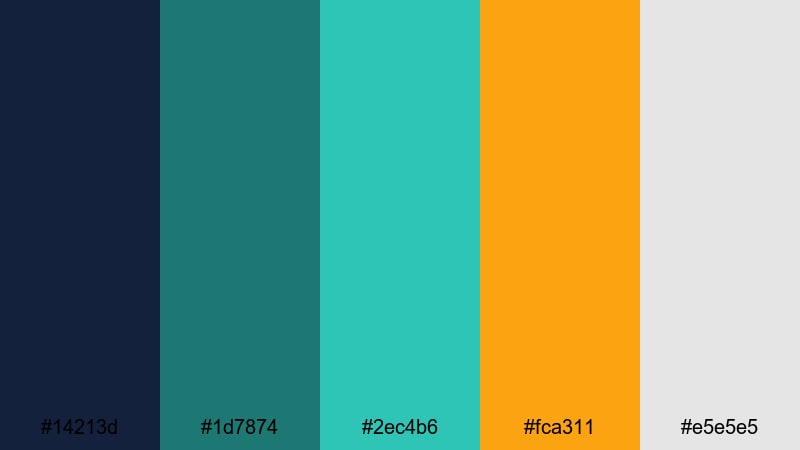
- HEX Codes: #14213d, #1d7874, #2ec4b6, #fca311, #e5e5e5
- Mood: Retro-athletic, confident, and slightly grainy with vintage poster vibes.
- Use for: Use for throwback workout edits, sports retrospectives, and retro title sequences.
70s Sports Club mixes dusty blues and greens with a bold orange accent and soft gray. It looks like an old gym poster or vintage tournament ticket, with a slightly grainy, print-like character.
Use it for throwback fitness edits, historic sports recaps, or stylized title sequences. In Filmora, you can set #e5e5e5 as a paper-like background, layer blue and teal blocks as bold shapes, and use orange #fca311 for key text, badges, or logo marks that feel authentically retro.
Analog Arcade Nights
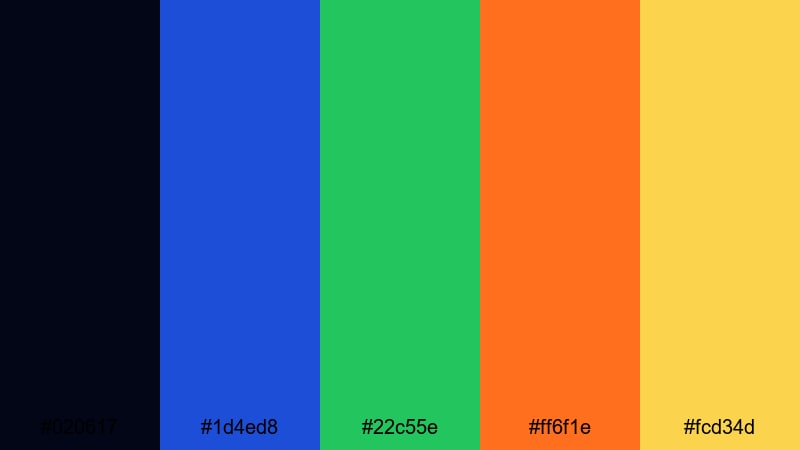
- HEX Codes: #020617, #1d4ed8, #22c55e, #ff6f1e, #fcd34d
- Mood: Playful, neon-lit, and cinematic like classic arcade cabinets at night.
- Use for: Great for retro gaming intros, synthwave edits, and nostalgic montage sequences.
Analog Arcade Nights uses deep midnight tones with saturated blues, greens, and orange-yellow pops. It recalls arcade cabinets, neon signs, and late-night city glow.
Use this palette for retro gaming montages, synthwave edits, or nostalgic nightlife vlogs. In Filmora, combine the near-black #020617 with animated neon shapes in blue and green, then highlight score numbers, captions, and transitions in the bright orange #ff6f1e and yellow #fcd34d.
Tips for Creating Green Blue Orange Color Palettes
Green blue orange color palettes are flexible, but they work best when you control contrast, hierarchy, and consistency across your entire project. Here are practical ways to combine these hues for video and design.
- Decide your hero color first (green, blue, or orange) and let the other two act as support, so your branding and thumbnails do not feel chaotic.
- Use dark blue or charcoal as a base for text-heavy layouts; then use green for positive states (growth, success) and orange for actions (buttons, CTAs, alerts).
- Check readability on mobile by testing white or near-white text over your darkest color and dark text over your lightest background before finalizing overlays.
- Limit intense neon shades to small accents like icons, outlines, or key words; keep larger areas in softer tints of green and blue to avoid eye strain.
- Match your palette to your footage: cooler ocean or tech scenes pair well with bluer tones, while outdoor lifestyle or food content can handle warmer greens and oranges.
- Reuse the same HEX codes in your thumbnails, titles, lower thirds, and end cards so your channel feed looks cohesive at a glance.
- In Filmora, save your favorite colors as custom swatches and turn frequently used combinations into title presets or template projects.
- Experiment with subtle gradients that move between blue and green, then drop in orange as a contrasting accent to guide the viewer's eye to the most important information.
Green blue orange palettes can shift from calm and coastal to bold and cinematic, giving you a lot of control over how your brand and videos feel. With the right combination, you can make your thumbnails pop, your intros feel polished, and your overall aesthetic look intentional rather than random.
Use the HEX codes in this guide as a starting point, then refine them directly in Filmora to match your footage, logo, and channel style. Saving your favorite looks as presets will help you build a recognizable brand that viewers recognize instantly in their feed.
Whether you are editing travel vlogs, gaming highlights, or startup promos, try dropping one of these palettes into your next Filmora project and see how much more cohesive your video feels.
secure download