

 100% Security Verified | No Subscription Required | No Malware


 ChatGPT
 Perplexity
 Gemini
 Claude
 Grok
Grok
Warm YouTube video filters are perfect for turning flat footage into golden, inviting visuals that feel cozy and cinematic. Whether you shoot family moments in your living room, travel stories at sunset, or lifestyle vlogs in natural light, a warm tone instantly makes everything look more welcoming.
In this guide, you will find a curated set of warm and creative filters you can recreate in Filmora to match golden hour light, soft candlelit evenings, and relaxed home aesthetics. Each style includes when to use it and a quick editing tip so you can dial in the exact warmth your lifestyle, family, or travel channel needs.
In this article
Golden Hour and Sunset Warm Filters
Soft Sunset Haze
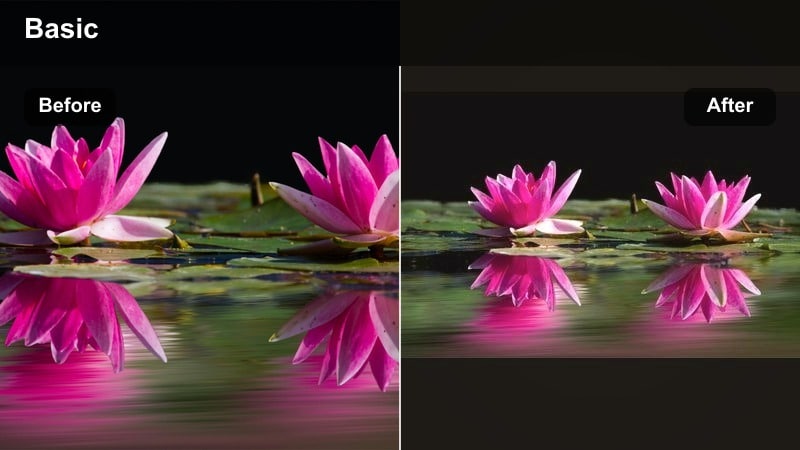
- Effect look: A dreamy golden wash with soft contrast that wraps your frame in gentle sunset warmth, ideal for smoothing skin and toning down harsh midday light into a dusk-like glow.
- Best for: Warm YouTube vlogs filmed outdoors, golden hour travel montages along the beach or city skyline, and B-roll sequences where you want a romantic, nostalgic feel without heavy color shifts.
- Editing tip: In Filmora, slightly lower contrast and clarity, then push temperature toward yellow and tint slightly toward magenta; add a subtle vignette and keep saturation moderate so skin tones stay natural while the scene feels softly sunlit.
Soft Sunset Haze is perfect when you want that golden-hour charm even if you did not film at the perfect time of day. By gently reducing contrast and clarity in Filmora, then warming the temperature and tint, you get a soft, hazy look that flatters faces and adds a dreamy glow to skies and backgrounds.
Use this warm filter on outdoor vlogs, travel intros, and romantic B-roll shots where you want footage to feel nostalgic instead of harsh or clinical. Keep saturation under control and pair the effect with a light vignette so viewers focus on your subject while still noticing the gentle, cinematic warmth across the frame.
Let Filmora Suggest the Perfect Warm Palette
Filmora’s AI-powered color tools can analyze your footage and quickly suggest balanced warm palettes that suit your scene, whether you are working with soft living room light, bright windows, or glowing sunsets.
Use these AI presets as a starting point, then fine-tune temperature, tint, and saturation until your video feels cozy and golden while preserving accurate skin tones and highlight detail.
 secure download

Preview Warm Filters on Real YouTube Scenarios
Before grading an entire video, try layering different warm looks on short test clips from your vlogs, family moments, and travel scenes. This helps you see how each filter behaves in changing light and skin tones.
Compare your versions side by side inside Filmora, then save the winning warm style as a custom preset so you can apply it to future projects in just one click.
secure downloadTurn Warm Filters into Reusable LUT-Style Presets
When you land on a warm YouTube filter you love, Filmora lets you save it as a reusable preset that behaves like your own cozy LUT. This keeps your channel’s colors consistent across new uploads.
Over time, you can refine this preset by slightly adjusting warmth, contrast, and saturation for different locations and seasons, maintaining a familiar golden style while adapting to new footage.
secure downloadGolden Travel Glow
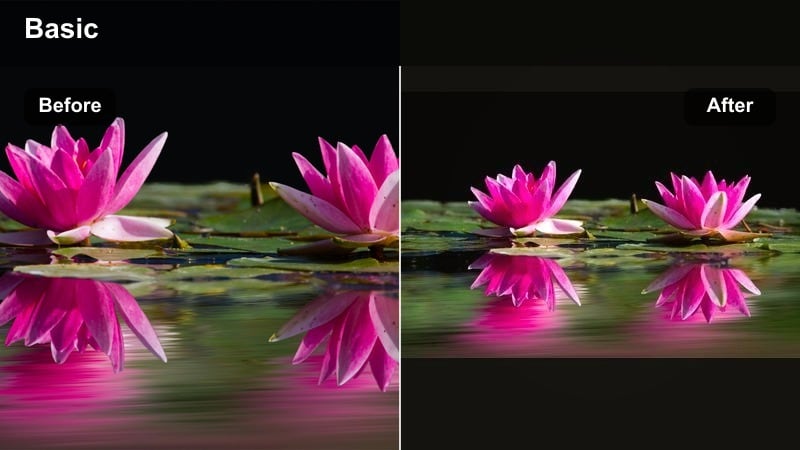
- Effect look: Rich golden tones with lifted shadows and crisp details that make landscapes pop while keeping people and food looking appetizing and vibrant.
- Best for: Travel creators filming city walks, beach trips, and vacation recap videos, especially when you want a premium warm aesthetic that still feels clean and documentary-style.
- Editing tip: In Filmora, increase temperature and vibrance, then selectively warm midtones more than highlights; add a tiny bit of sharpening and boost saturation of oranges and yellows while protecting blues so skies stay clear.
Golden Travel Glow is designed to bring out the best in sunlit streets, beaches, and scenic overlooks, working beautifully as landscape filters without pushing your footage into an artificial orange cast. By gently lifting shadows and targeting midtones in Filmora, you can keep details in buildings, skin, and food while still bathing the scene in golden warmth.
Use this filter on walking tours, travel diaries, and destination B-roll where you want a clean but cinematic feel. Protecting the blue channel and skies inside Filmora keeps oceans and skylines bright and believable, while richer oranges and yellows give your thumbnails that eye-catching golden-hour look.
Sunny Day Softener
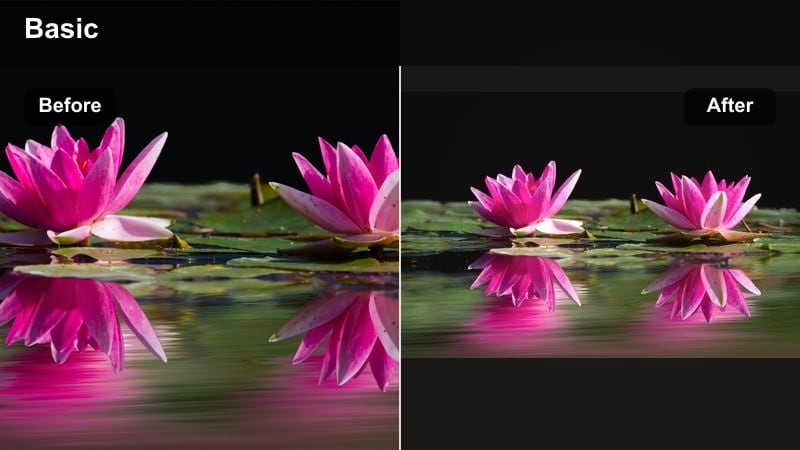
- Effect look: Gentle warm tone that softens harsh sunlight, slightly lowers contrast, and adds a faint glow, making bright outdoor footage look calmer and more flattering.
- Best for: Family channels filming at parks or playgrounds, lifestyle YouTubers shooting outfit videos in hard sun, and any vlog where midday lighting feels too sharp or clinical.
- Editing tip: Use Filmora to reduce highlights, raise shadows slightly, then nudge temperature toward warm; add a small blur or glow effect at very low intensity to soften edges while keeping the image clear.
Sunny Day Softener is your fix for footage shot in unforgiving midday light. By pulling down highlights and gently lifting shadows in Filmora, you create a smoother contrast curve that feels more like a soft afternoon than a harsh noon-hour blast.
Apply a subtle glow or blur to edges, but keep intensity low so your video still feels sharp where it matters, like on faces and key action. This warm filter is ideal for family park days, outdoor routines, and outfit videos where you want viewers to feel relaxed rather than squinting at high-contrast scenes.
Cozy Home and Family Warm Filters
Living Room Amber
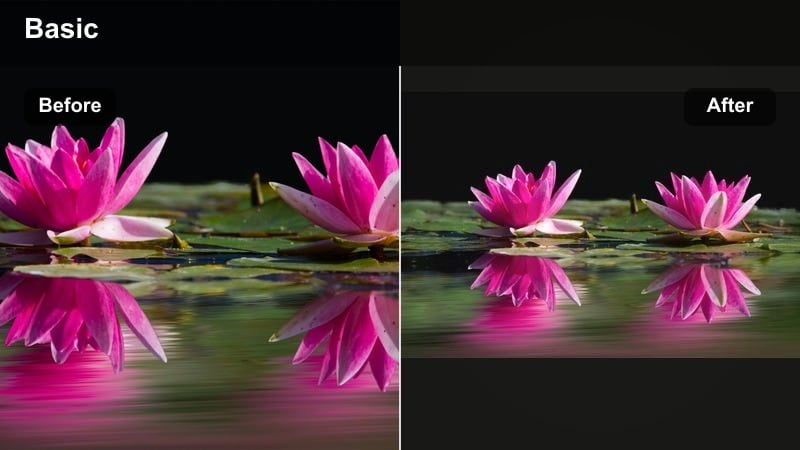
- Effect look: Soft amber warmth that mimics lamp light, deepens browns and oranges, and adds a slightly matte finish for an intimate, lived-in home vibe.
- Best for: Cozy home videos, family channels filming evening routines, living room chats, storytime, and lifestyle b-roll with candles, books, and blankets.
- Editing tip: In Filmora, push temperature warm and lower saturation of greens and blues; slightly lift blacks for a matte look and add a tiny vignette to keep attention centered on faces or the couch area.
Living Room Amber turns ordinary indoor clips into scenes that feel like they are lit by soft lamps and candles. Filmora’s color tools let you warm the whole frame, tame cooler tones, and lift blacks slightly to create that matte, cinematic softness perfect for evening routines and couch conversations.
Use this filter on family hangs, reading sessions, and cozy chats where connection matters more than crisp, clinical light. Dimming greens and blues keeps distractions like TVs or windows subdued, while a gentle vignette guides viewers’ eyes to the people at the heart of your story.
Family Hug Warmth
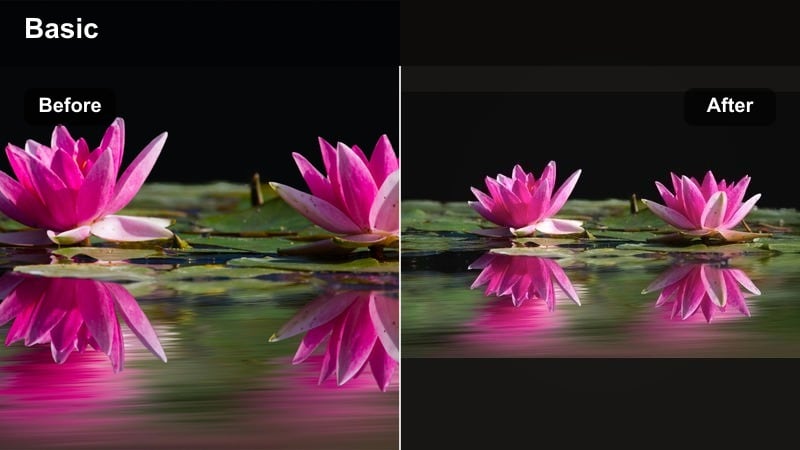
- Effect look: Creamy warm highlights with a subtle rose tint in the midtones, making skin look soft and kind while muting visual distractions in the background.
- Best for: Family vlogs, baby milestones, kitchen table chats, and any heartwarming moment you want to feel emotional and timeless.
- Editing tip: In Filmora, slightly increase temperature and tint toward magenta, lower saturation of cool tones, and gently reduce contrast; you can also blur the background slightly to keep attention on faces.
Family Hug Warmth is all about emotion, giving your footage a creamy, soft feel that flatters skin and emphasizes closeness. In Filmora, nudging tint toward magenta and gently warming highlights adds a subtle rose glow that feels affectionate without looking overly stylized.
Pair this filter with light background blur or softened contrast to reduce clutter, especially in kitchens and busy rooms. The result is a warm, timeless look ideal for milestone moments, heartfelt conversations, and thumbnails that highlight smiles and hugs.
Candlelight Cozy
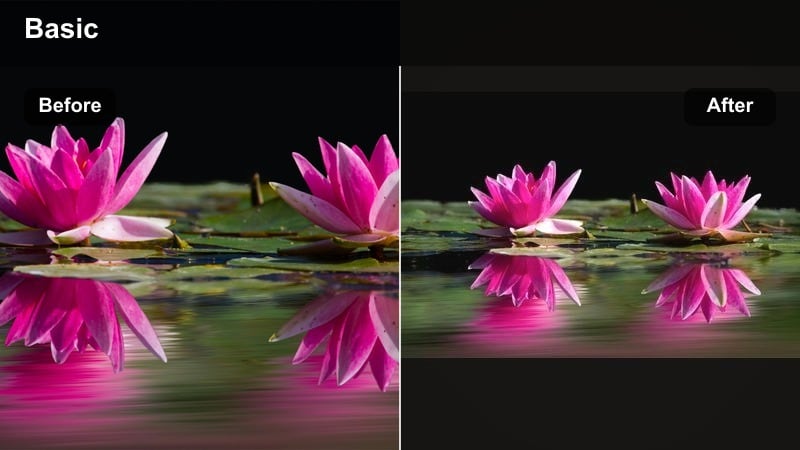
- Effect look: Deep, rich warmth focused in highlights with darker, velvety shadows and a subtle orange glow that feels like a room lit only by candles and string lights.
- Best for: Nighttime cozy home videos, self-care routines, reading nooks, and aesthetic bedroom vlogs shot with practical warm lights.
- Editing tip: Lower exposure slightly in Filmora, raise contrast just a bit, and increase temperature; add a small amount of glow to highlights and shift shadows slightly toward warm brown rather than pure black.
Candlelight Cozy is perfect for moody night scenes where you want your video to feel like a slow, quiet evening in. By gently darkening exposure and adding contrast in Filmora, you create deep shadows, then warm them toward brown so the image stays rich instead of murky.
Use a light glow on highlights to make candles, string lights, and lamps bloom softly without blowing out details. This warm filter works beautifully for self-care routines, journaling vlogs, and bedroom aesthetics where ambiance and atmosphere are the focus.
Warm Lifestyle and Aesthetic Filters
Golden Minimal
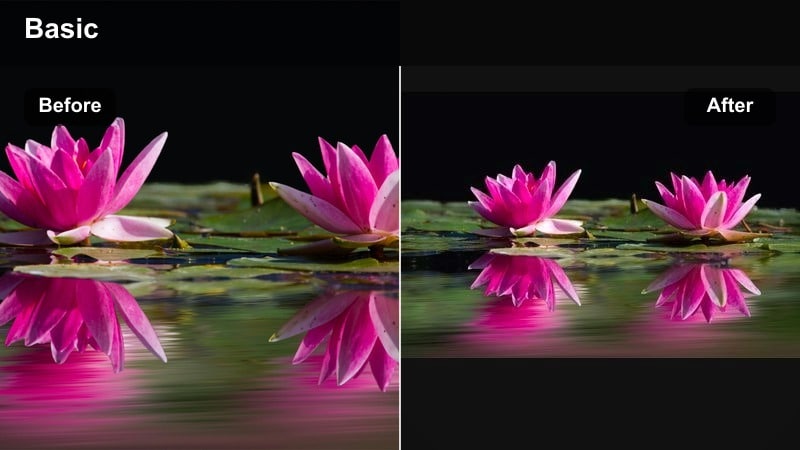
- Effect look: Clean, modern warmth with slightly desaturated colors and bright whites, perfect for creators who want an aesthetic, minimalist golden tone without heavy color grading.
- Best for: Lifestyle YouTubers, morning routines, workspace tours, and airy apartment vlogs posted with a curated feed aesthetic.
- Editing tip: Raise exposure and whites gently in Filmora, increase temperature, and slightly lower overall saturation; keep blues and greens extra soft, and add a subtle vignette only if the frame feels too empty.
Golden Minimal gives your channel a polished, on-brand look by combining bright whites with gentle warmth and soft colors, serving as excellent lifestyle filters. In Filmora, nudging exposure up and dialing back saturation slightly keeps the frame feeling airy and modern while still inviting.
This warm filter is ideal for clean workspaces, morning routines, and lifestyle content that leans into minimal decor. Keep blues and greens toned down so they do not overpower your neutrals, and use vignettes sparingly to maintain that open, uncluttered feel.
Latte Cream Warmth
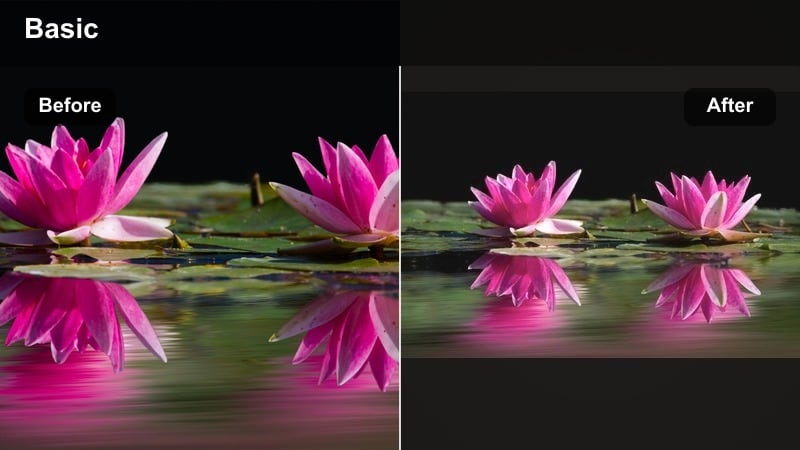
- Effect look: Soft latte-colored highlights and creamy beiges with a warm, slightly faded film look that flatters neutral outfits and interior decor.
- Best for: Coffee shop vlogs, study-with-me sessions, interior tours, and lifestyle content centered around neutral fashion and calm routines.
- Editing tip: Lift blacks and shadows in Filmora for a matte film feel, then warm your midtones; gently desaturate bright colors so neutrals and skin remain the main focus.
Latte Cream Warmth wraps your footage in cozy beige and cream tones, perfect for cafes, desks, and neutral wardrobes. In Filmora, lifting blacks and shadows creates a smooth, film-like base, while warming midtones adds a subtle latte hue that pairs beautifully with wood and fabric textures.
Desaturate strong colors slightly so bold reds or blues do not distract from your soothing palette. This warm filter is especially effective for study-with-me content, aesthetic desk tours, and any video built around slow, comforting routines.
Weekend Brunch Glow
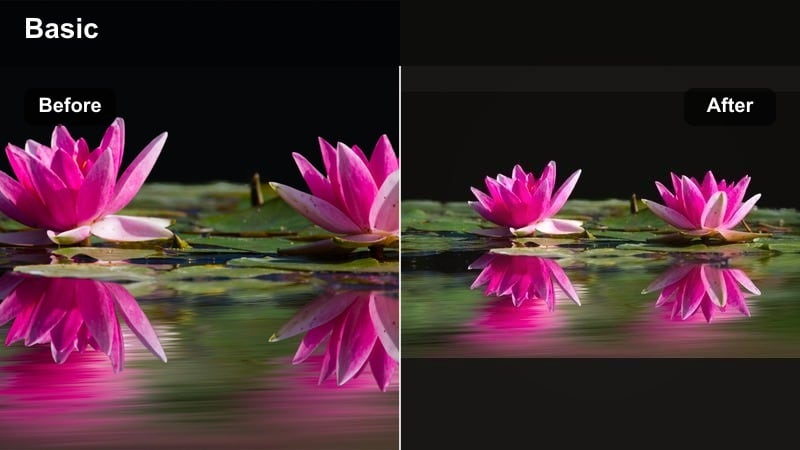
- Effect look: Fresh warm highlights with punchy yet natural saturation, making food, drinks, and table setups look appetizing and bright without fake neon colors.
- Best for: Brunch vlogs, kitchen content, food shots for lifestyle channels, and casual hangouts filmed near windows or patios.
- Editing tip: Increase temperature and vibrance in Filmora, then boost saturation in the yellow and orange range slightly; keep contrast moderate so plates and table details stay visible and crisp.
Weekend Brunch Glow is tailored to make meals and table scenes look mouthwatering on YouTube. By raising temperature and vibrance in Filmora, then focusing extra saturation on yellows and oranges, you can highlight everything from pancakes to lattes without pushing them into unrealistic territory.
Keep contrast moderate so textures in food remain clear and plates do not lose detail. This warm filter is a great fit for recipe videos, brunch vlogs, and casual kitchen hangouts, helping your thumbnails feel bright, social, and delicious.
Cinematic Warm and Golden Filters
Golden Filmic Fade
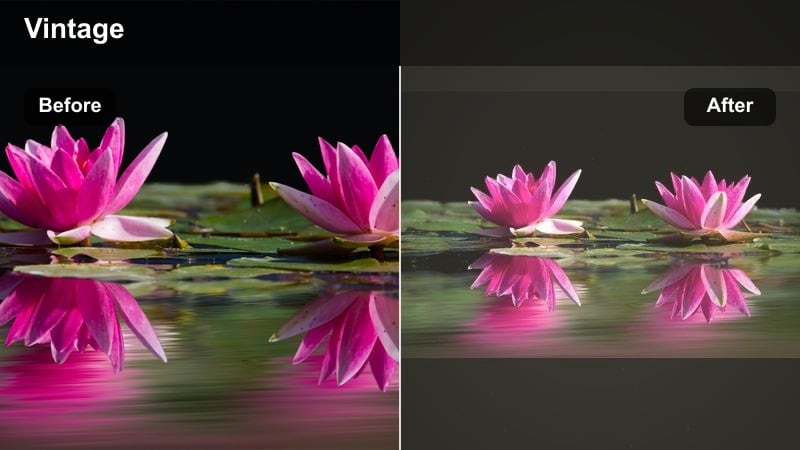
- Effect look: A cinematic golden wash with raised blacks, gentle color fade, and subtle highlight roll-off that resembles vintage film stock shot at sunset.
- Best for: Travel creators and lifestyle YouTubers who want their cinematic b-roll, intros, and outros to feel like a warm short film.
- Editing tip: In Filmora, slightly reduce contrast, raise blacks, warm the overall image, and lower saturation a little; finish with a very light film grain overlay to sell the analog mood.
Golden Filmic Fade adds a story-driven, cinematic feel to your warm footage by blending raised blacks with softened highlights and a light golden wash, much like a classic retro video effect. Using Filmora, you can lower contrast, warm the image, and slightly desaturate colors to create a subtle vintage mood that still works well on YouTube.
Apply this filter to B-roll, intros, and outros so your main talking content stays clear and color-accurate, while transitions and montages feel like scenes from a short film. A gentle film grain overlay completes the look without overwhelming compression on upload.
Desert Trail Warm
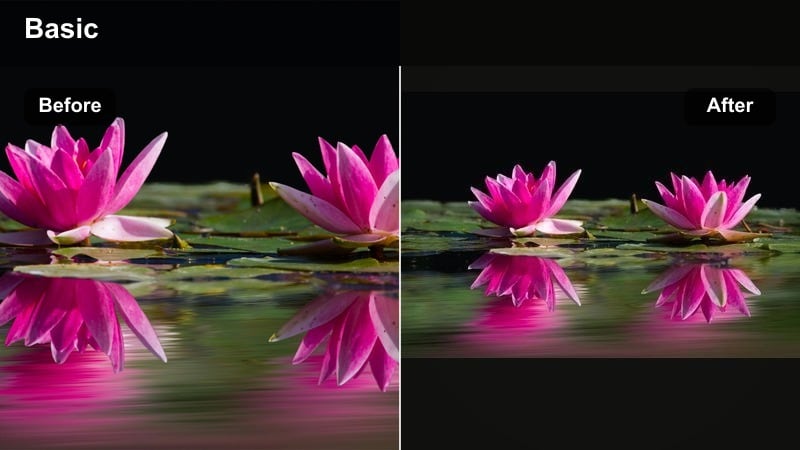
- Effect look: Strong earthy warmth that emphasizes oranges, browns, and dusty yellows while cooling skies slightly so landscapes feel deep and cinematic.
- Best for: Road trip vlogs, hiking content, desert and mountain travel, and outdoor adventures where you want an epic, movie-like environment.
- Editing tip: Increase warmth and contrast in Filmora, push orange saturation and slightly mute greens, then cool the blue channel a touch so the sky contrasts with the warm ground tones.
Desert Trail Warm is built for dramatic landscapes, turning ordinary trails and roads into epic, cinematic frames. In Filmora, boosting contrast and warmth while emphasizing oranges and browns gives rock, sand, and dirt a bold, adventurous look.
Cooling the blue channel slightly helps skies and distant mountains stand apart from the warm foreground, making your compositions more three-dimensional. This warm filter suits road trips, hiking videos, and any outdoor series where the terrain is a key character in your story.
Cinematic Cozy LUT Style
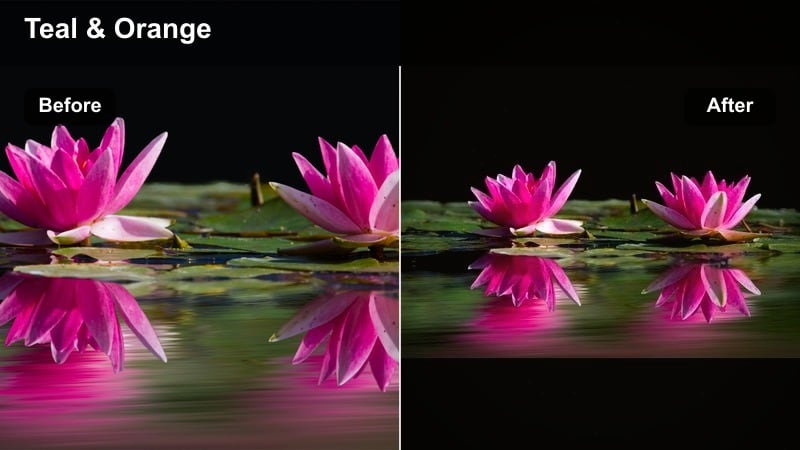
- Effect look: A LUT-style warm grade with separated tones: golden highlights, neutral midtones, and slightly teal or cool shadows, giving the classic blockbuster warm-cool contrast while staying soft and cozy.
- Best for: Story-driven vlogs, moody home scenes, travel diaries with voice-overs, and any sequence where you want a polished, film-inspired warm mood.
- Editing tip: Simulate a cozy LUT look in Filmora by warming highlights, keeping midtones close to neutral, and shifting shadows a touch toward teal; adjust intensity carefully so the look feels cinematic, not stylized for its own sake.
Cinematic Cozy LUT Style creates that classic warm-highlights, cool-shadows contrast you see in films, but tuned for softer, more intimate YouTube content. In Filmora, you can manually warm highlights, preserve mostly neutral midtones, and nudge shadows toward teal to shape depth without losing realism.
Use this warm filter on narrative vlogs, reflective monologues, and sequences with voice-overs where mood matters. Saving a few intensity variations as presets in Filmora makes it easy to adapt the look to both bright travel scenes and dim cozy interiors while keeping a consistent cinematic signature.
Tips for Using Youtube Video Warm Filters in Filmora
- Shoot with warmth in mind by using natural window light, lamps, and golden hour whenever possible so Filmora’s warm filters enhance real tones instead of creating them from scratch.
- Always check skin tones first when applying warm filters; if faces look too orange, dial back saturation in the orange range before reducing overall warmth.
- Export short 10 to 20 second test clips with your chosen warm filter and preview them on your phone, tablet, and desktop to make sure the look translates well across devices.
- Use stronger warm looks on B-roll and keep talking-head A-roll a bit more neutral so viewers enjoy the mood without getting distracted by heavy color grading.
- Organize your Filmora presets into folders like home, travel, and food so you can quickly pick the right warm style for each video scenario.
- If your footage is very cool or shot under fluorescent lights, first neutralize the color balance in Filmora, then add warmth gradually to avoid strange mixed tones.
- Combine warm filters with small exposure tweaks, like slightly lowering highlights and lifting shadows, to maintain detail while still achieving a cozy feel.
- Add gentle vignette only when it helps guide attention to your subject; too strong vignettes with warm filters can make scenes feel cramped or overly stylized.
Warm YouTube video filters are a simple, powerful way to make your lifestyle, family, and travel content feel more inviting, cinematic, and emotionally engaging without needing complex color grading skills.
Experiment with a few of these golden and cozy looks in Filmora, save your favorites as presets, and refine them over time until your channel has a signature warm tone that viewers instantly recognize and connect with.
secure download