AI Bust Down Filter Prompts:
Transform Your Photos with Iced-Out Chains
Join millions creating viral bust-down photos for TikTok, Instagram, and beyond. Upload your photo, choose from 20+ professional bust down filter prompts, and watch Filmora's Nano Banana AI transform you into an iced-out icon. From classic diamond grills to custom wedding drip, birthday flex, and professional swagger—every occasion gets the bust down treatment.
Loading more templates...
 Category:
 Duration:
 Aspect Ratio:
Generate Viral Bust Down Photos
With AI Diamond Grills Generator
With the AI technology, you could combine the affordability of digital creation with the irreplaceable swagger of authentic bust down jewelry. Filmora's AI image generator makes this possible! With AI bust down filter prompts and Filmora's Nano Banana image generator, you can generate stunning AI bust down photos with photorealistic diamond jewelry in seconds—no six-figure budget needed.
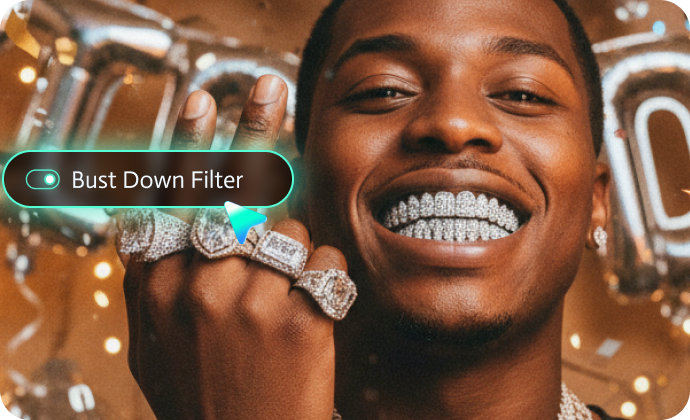
Transform Photos with Filmora's Bust Down Filter Generator
Transform Photos with Filmora's Bust Down Filter Generator
Filmora's AI Image Generator powered by Nano Banana brings the viral bust down filter to your fingertips with professional-grade results. Our platform combines cutting-edge AI technology with deep understanding of hip-hop culture and luxury aesthetics.
- Photorealistic Diamond Grillz & Jewelry Results: Generate authentic diamond grillz photos with realistic metal shine and stone reflections.
- Image-to-image transformation: Upload your existing photos and apply bust down filter to photos while preserving facial features and important details.
- Prompt-based generation: Access our bustdown filter generator with 20+ professional prompts covering every scenario imaginable. From classic diamond grills photo editor transformations to niche applications like wedding drip and gym flex.
Animate Your Bust Down Photos with AI Video
Animate Your Bust Down Photos with AI Video
Static flex is cool. Animated flex is legendary. Take your bust-down filter photos to the next level with Filmora's AI Image to Video generator. Transform still images into cinematic clips that Bust Down Transformation Videos Show the before-and-after magic by applying a smooth AI transition to the bust-down aesthetic.
- Living flex reels: Upload 2+ bust down photos and create a dynamic transformation video showing your glow-up journey.
- 2-photo morph transitions: Upload 2 different bust down filter photos (before/after or different jewelry styles) and smoothly transition between them for that satisfying reveal effect.
- Interactive couple flex moments: Create viral video snippets from your bust down couple photos showing synchronized jewelry sparkle and confident poses.
- Keanu-style meme videos: Animate your Bust Down Keanu meme with motion blur, VHS effects, and that iconic flexing gesture for maximum viral potential.
- Success story sequences: Combine multiple bust down photos from different life milestones and create an inspiring "started from the bottom" video montage.
- Jewelry showcase loops: Make your diamond grillz and iced-out watches the stars—add rotation effects, zoom-ins on sparkle, and hypnotic loop animations perfect for Instagram Reels.
Complete Your Bust Down Story with Filmora's Editing Suite
Complete Your Bust Down Story with Filmora's Editing Suite
While Filmora's AI Bust Down Filter generator gets you started, the platform's comprehensive editing capabilities help you create complete viral flex video projects that showcase your iced-out transformations with maximum impact.
- Create Stunning Bust Down Video Compilations: Turn your AI bust down photos into legendary flex stories using Filmora's hip-hop transitions, zoom-on-jewelry motion effects, multi-photo flexing sequences, and royalty-free trap beats to craft cinematic success moments that dominate TikTok and Instagram.
- Enhance the Street Aesthetic with Professional Tools: Refine your bust down filter creations with VHS-style color grading, authentic film grain, club light flares, AI smile filter golden hour effects, flex-worthy text animations ("DRIP GOD", "ICED OUT"), split-screen before/after layouts, and diamond sparkle overlays for that cohesive viral meme look that made Bust Down Keanu legendary.
How to Generate Photos with Bust Down Filter in Filmora?
Ready to upgrade your photos with an iced-out, luxury aesthetic? Don't let your next post go unnoticed when you can turn any picture into a diamond-dripped masterpiece. With Filmora's AI Bust Down Filter, creating stunning iced-out photos is incredibly easy—whether you want a bust down photo filter, a shining diamond chain effect, or a full iced-out look. Let's walk through the steps.
Step 1 Activate AI Image Generator

Step 2 Generate Images From Text or Reference Pictures

Step 3 Download and Export Your AI-Generated Images

-
1:Activate AI Image Generator
Launch the latest version of Filmora, create a project, and click "Stock Media", choose "AI Image" from the Media panel. -
2:Generate Images From Text or Reference Pictures
Select the Nano Banana model, then type in your bust down filter prompts, then click on the "Generate" to start making bust down photos. You can also upload a reference picture for face consistency, and finally tap on Generate to edit the photo. -
3:Download and Export Your AI-Generated Images
After generating the photo, you can preview the image, tap on the download button, and drag it to the timeline, edit it if required, take a snapshot, or export to save the picture.
More Than Just a Bust Down Effect Photo Generator
Filmora goes beyond simple AI bust down filter prompts to a photo generator. You can also generate other style photos from Gemini AI prompts, create AI videos from prompts or pictures, and edit them with the most powerful editing features in the same tool.