Gemini AI Rainy Photo Prompts:
From Romantic Couples to Wedding Drama
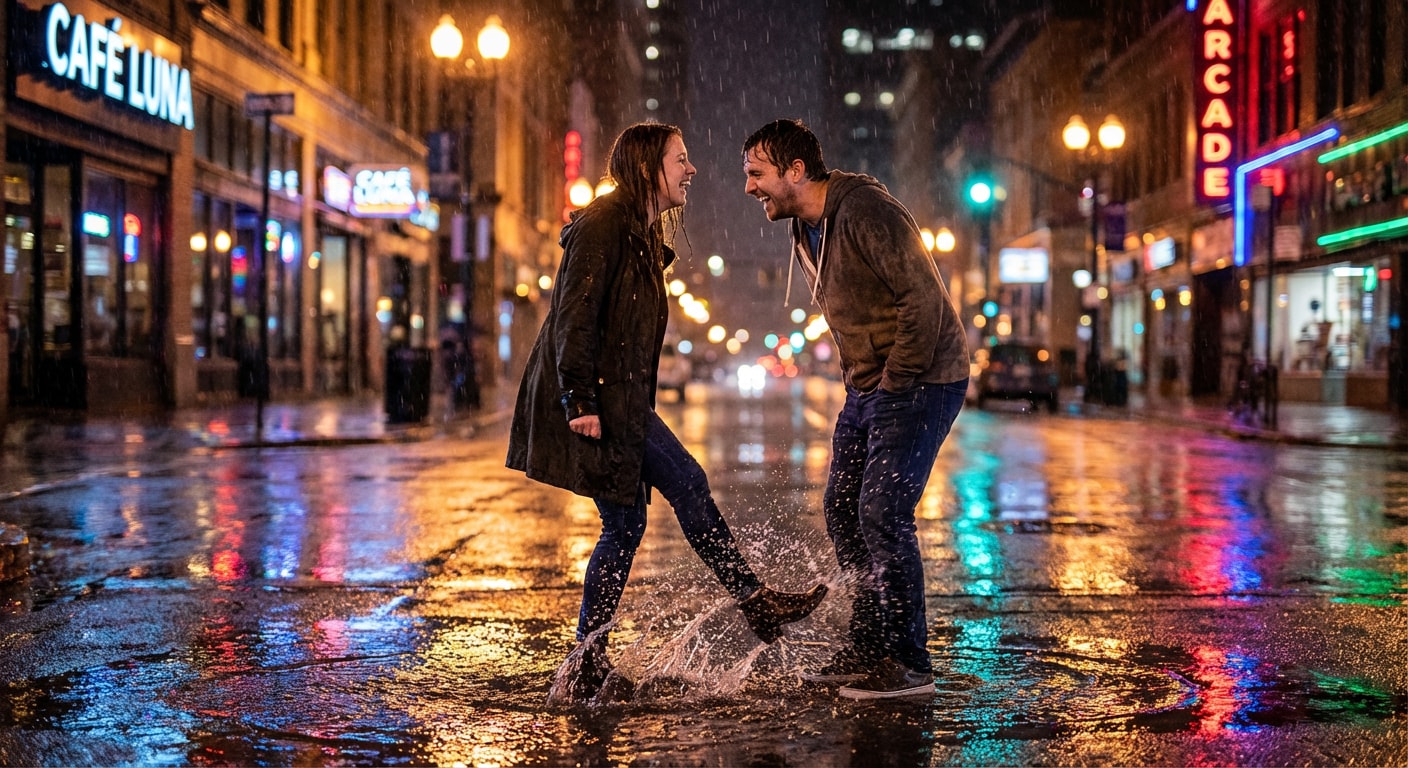
Loved those stunning rain-soaked portraits flooding TikTok and Instagram? The secret's in Gemini AI rain effect prompts—meticulously crafted to blend cinematic lighting, emotional depth, and AI precision, so your subjects look naturally immersed in rain without a single water droplet. Now, explore those rain AI filter photos. Tap on the image you like to get the copy-and-paste-free prompt, then generate hyper-realistic, emotionally captivating, and effortless cinematic rain photos that'll dominate social feeds this season.
Loading more templates...
 Category:
 Duration:
 Aspect Ratio:
How to Generate Cinematic AI Rain Effect Photos (2026 Guide)
Attracted by those stunning AI rain effect photos? Ready to transform your ordinary selfies into cinematic rain photoshoots? All you need is an AI rain effect photo generator. Let's meet Wondershare Filmora, integrated with the powerful model like Nano Banana Pro and Nano Banana, you can generate stunning rain photos in seconds.
Create Stunning Rain Portraits with AI Image Generator
Create Stunning Rain Portraits with AI Image Generator
Ready to bring these Gemini AI rain effect prompts to life? Simply copy and paste those prompts into Filmora's AI Image Generator, powered by Nano Banana Pro, which delivers professional-quality rain portraits that preserve authentic facial features, natural expressions, and emotional depth—while adding cinematic rain atmospheres that look indistinguishable from actual rainy-day photoshoots.
- Superior Feature Preservation: Nano Banana Pro's advanced recognition technology maintains your subject's exact facial features, unique characteristics, and authentic expressions.
- Lightning-Fast Rain Photo Generation: Generate multiple cinematic rain portraits in 20-30 seconds each—perfect for content creators who need to test various rain aesthetics, couples wanting different romantic poses, or wedding photographers creating entire rain portfolio alternatives in under 1 minute.
- 1500-Word Detailed Prompt Support: Describe every nuance—lighting angle, rain intensity, emotional expression, background details, clothing texture.
Bring Rain Photos to Life with AI Image to Video
Bring Rain Photos to Life with AI Image to Video
Static Gemini rain AI effect photos are stunning—but animated rain videos? Absolutely mesmerizing! Filmora's AI Image to Video feature transforms your AI-generated rain portraits into dynamic content that stops mid-scroll on TikTok, Instagram Reels, and YouTube Shorts. Watch raindrops actually fall, see subtle facial movements breathe life into portraits, and experience camera movements that add cinematic depth.
Enhance & Customize with Professional Editing Tools
Enhance & Customize with Professional Editing Tools
Beyond AI Gemini rain effect photo generation and video animation, Filmora's all-in-one editing suite empowers you to refine rain visuals into truly viral-ready content. From cinematic color grading that enhances moody, rain-soaked atmospheres to precise audio mixing that layers realistic ambient rain sounds, Filmora helps your rain portraits stand out across crowded social feeds.
What's more, Filmora's advanced AI features elevate your workflow even further. Instantly generate immersive background music and realistic sound effects with AI—perfectly matched to your rain scene, video mood, and text descriptions—so your Gemini AI rain effect photos and videos feel more cinematic and emotionally engaging.
FAQs About Gemini AI Rain Effect Prompts
How to Use Gemini AI Rain Filter Photo Prompts in Filmora?
Generate and refine professional rain effect photos with Gemini AI prompts in Filmora—fast and effortlessly. Just follow a few simple steps to create cinematic AI rain portraits with realistic lighting, mood, and motion.
Step 1 Activate AI Image Generator

Step 2 Generate Images From Text or Reference Pictures

Step 3 Download and Export Your AI-Generated Images

-
1:Activate AI Image Generator
Launch the latest version of Filmora, create a project, and click "Stock Media", choose "AI Image" from the Media panel. -
2:Generate Images From Text or Reference Pictures
Select the Nano Banana pro or Nano Banana model, then type in your AI Gemini prompts for rain photos, then click on the "Generate" to start making rain effect photos. You can also upload a reference picture of your own, add a Gemini AI rain filter photo editing prompt, and finally tap on Generate to edit the photo. -
3:Download and Export Your AI-Generated Images
After generating the photo, you can preview the image, tap on the download button, and drag it to the timeline, edit it if required, take a snapshot, or export to save the picture.
More Than Just an AI Rain Effect Photo Generator
Filmora goes far beyond basic Gemini AI rain effect prompts and simple photo generation. With one all-in-one creative tool, you can also generate multiple photo styles using Gemini AI prompts, turn text or images into AI-powered videos, and fine-tune every detail with professional-grade editing features. From prompt-based creation to final polish, Filmora lets you seamlessly create, animate, and perfect cinematic rain photos and videos—without switching between tools.