

 100% Security Verified | No Subscription Required | No Malware


 ChatGPT
 Perplexity
 Gemini
 Claude
 Grok
Grok
Set for February 8, this year’s Super Bowl promises a night fans won’t want to miss. The halftime show is always a major part of the excitement, and the game itself draws just as much attention. You would be joining millions of fans as they tune in to see which team caps off the NFL season!
For American football fans who cannot watch the game in person, many are asking, “Where can I watch the Super Bowl online?” and which platforms will stream it? Find the answer here, and explore the best ways to watch the biggest sporting event of the year in the U.S.

In this article
Part 1. Super Bowl Schedule, Kickoff Time, & Halftime Show Performers
The Super Bowl is the championship game that officially closes out the NFL season. The top teams from the American Football Conference (AFC) and National Football Conference (NFC) will meet on the field to compete for the league’s biggest title and lift the Lombardi Trophy.
In 2026, the Super Bowl is officially Super Bowl LX, with the schedule set as follows:
- Date: Sunday, February 8, 2026
- Place: Levi's Stadium in Santa Clara, California
- Kickoff Time: 6:30 pm ET
Halftime Show Performers
For years now, the Super Bowl halftime show has been one of the night’s biggest highlights, often making just as much noise as the game itself. This year, Bad Bunny will headline the stage. The Puerto Rican rapper and singer has already teased his upcoming performance with the tagline “The World Will Dance.”

Where can I watch the Super Bowl halftime show?
Watching the halftime show is part of the main Super Bowl broadcast, so you can see it live on the same TV channel or streaming platform that airs the game. The performance is also usually available to rewatch later through official channels after the event ends.
Part 2. Where Can I Watch the Super Bowl on TV
If you plan to watch the Super Bowl in 2026 on TV, NBC is the official broadcast network for the event. NBC will air the game live across the United States, including full pre-game coverage, the halftime show, and post-game analysis. You can tune in through cable or satellite TV.

Another way to watch the Super Bowl live is through a smart TV. If your TV supports streaming apps or includes a built-in browser, you can stream the game using the official platforms and services listed below.
Part 3. Where to Stream the Super Bowl Live Online (Without Cable)
If you don’t have cable, or prefer to watch the game on your phone while wondering, “where can I watch the super bowl on my phone,” you can also stream and watch the Super Bowl live on streaming services that carry NBC platforms.
1. Hulu + Live TV
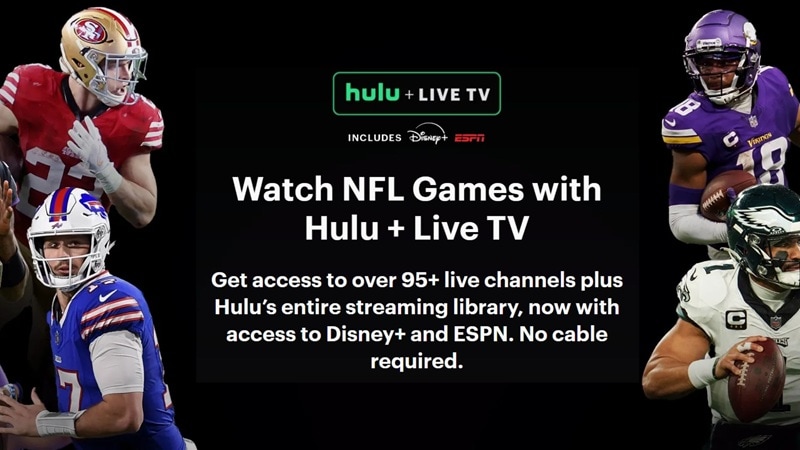
With a Hulu + Live TV subscription, you can watch the Super Bowl 2026 online, and some plans may even bundle in extra services depending on what you choose. To use it, you’ll need to set a Home location on a residential internet connection. If you’re watching on your phone, make sure to check in on your Home network at least once every 30 days.
- Region Coverage: United States
- Pricing: Starts from $89.99/mo
- Free Trial: Available (typically for 3 days)
2. YouTube TV
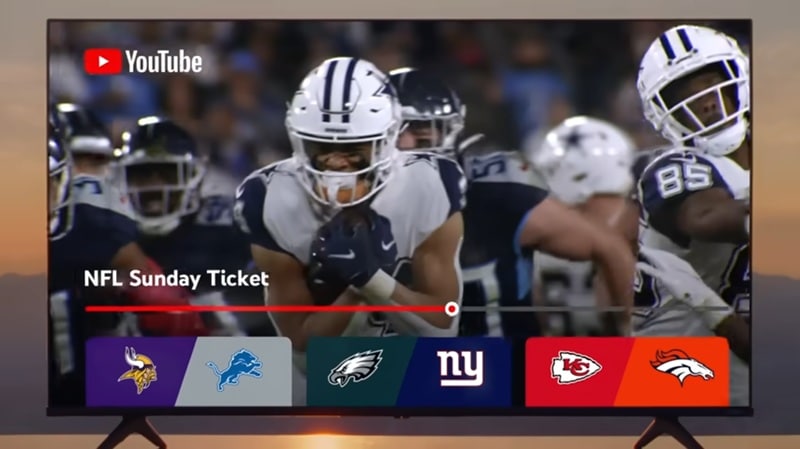
Since NBC is included in its channel lineup, you can also stream the Super Bowl live on YouTube TV. It gives you cool features, like Key Plays to help you quickly catch highlights, real-time stats during the game, and a Fantasy view to keep an eye on your lineup while you watch.
- Region Coverage: United States
- Pricing: Starts from $82.99/mo
- Free Trial: Available (for 10 days)
3. NFL+
NFL+ is the official streaming service from the NFL, designed primarily for mobile fans. If you want to watch the Super Bowl on your phone, NFL+ can be an option. It’s available through its mobile app only, though. You can download it on both iOS and Android devices.
- Region Coverage: United States
- Pricing: $6.99/mo (Pro) or $14.99/mo (Premium)
- Free Trial: Unavailable
4. DirecTV Stream
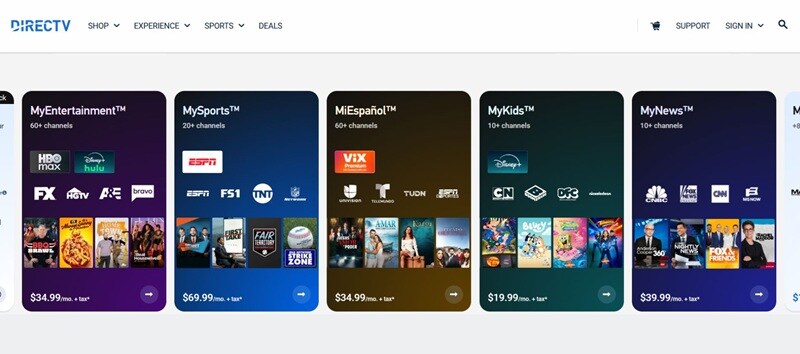
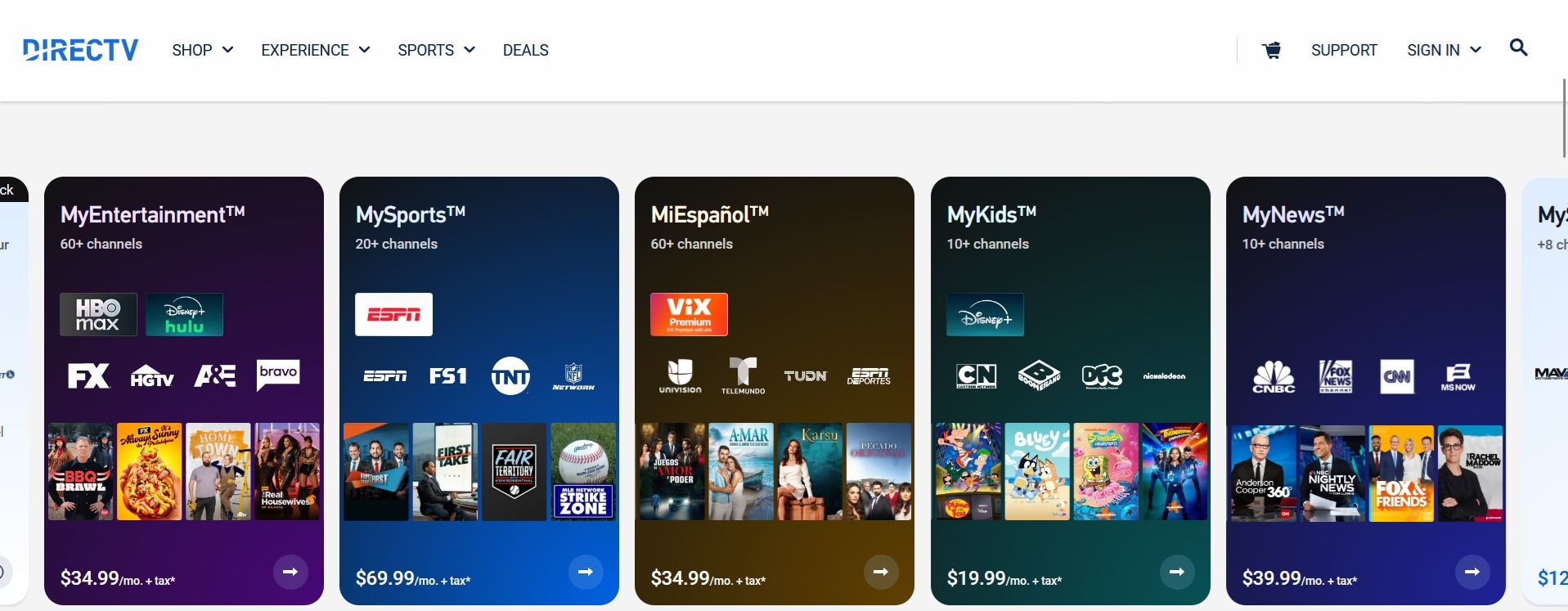
DirecTV Stream delivers a cable-style live TV experience over the internet, with access to NBC and other sports channels. It uses your IP address to determine local channel availability, with unlimited cloud DVR storage regardless of the package you choose.
- Region Coverage: United States (except Puerto Rico & U.S. Virgin Islands)
- Pricing: Starts from $89.99/mo
- Free Trial: Available (for 5 days)
5. Peacock

Peacock is NBCUniversal’s streaming platform that also carries live sports content, including the Super Bowl broadcast in the U.S. Along with the game, it gives you access to a large library of TV shows, movies, and other content.
- Region Coverage: United States
- Pricing: Starts from $7.99/mo
- Free Trial: Unavailable
Where to Watch the Super Bowl for Free
Most streaming services that carry the Super Bowl require a paid subscription. However, there are still a few ways you may be able to watch the game for free:
- Use a Free Trial: If the Super Bowl is included during the trial window, you can watch the Super Bowl free, as long as you cancel before the trial ends. Keep in mind that most services require you to sign up with personal details and a credit card.
- Check Free Streaming Platforms: In 2025, Tubi streamed the Super Bowl for free with ads, including a 4K live stream option. However, there has been no official confirmation yet on whether Tubi will stream the 2026 Super Bowl for free. Check Tubi’s official announcements to stay updated.
Part 4. Where Can I Rewatch the Super Bowl After It Ends
The Super Bowl isn’t just exciting while it’s happening live. If you happened to miss it the first time or just want to relive some iconic moments, and wonder “where can I rewatch the Super Bowl,” you can use these options:
Free Game Highlights

For those who don’t want to sit through the entire game, YouTube has long been one of the easiest places to rewatch classic NFL moments for free. The NFL’s official YouTube channel, along with clips shared by casual uploaders, has plenty to dig into. You’ll find extended highlights, game replays, and those unforgettable plays that got people talking even years later.
Full Game Replays
To rewatch the full games, only selected platforms have the rights to stream complete Super Bowl replays:
- NFL+ Premium: NFL+ Premium gives you on-demand access to full game replays, condensed versions, and All-22 coaches’ film. It’s one of the most direct ways to rewatch entire NFL games after they air.
- YouTube TV: With YouTube TV, you can record full games using the cloud DVR feature when they air and rewatch them later. As long as you record the broadcast, you’ll have access to the full game later without missing a single play.
Part 5. Record and Make Video Content from the Super Bowl
After knowing where to watch the Super Bowl live, you can make use of the moment, capture the excitement, and turn it into video content to share around. The most effective way to do this is by using a video editor that already includes recording and editing tools in one place, like Wondershare Filmora.
With Filmora, you can record your screen or webcam and edit clips right away into any type of content you want to create. Since everything you need is already in one place, it’s much easier to work fast and keep your content timely while the hype around the Super Bowl is still fresh.


1. Record the Super Bowl in High Quality
Even if you’re watching Super Bowl on a platform that doesn’t allow downloads, you can use Filmora’s built-in screen recorder to capture what you need.
How to record the Super Bowl:
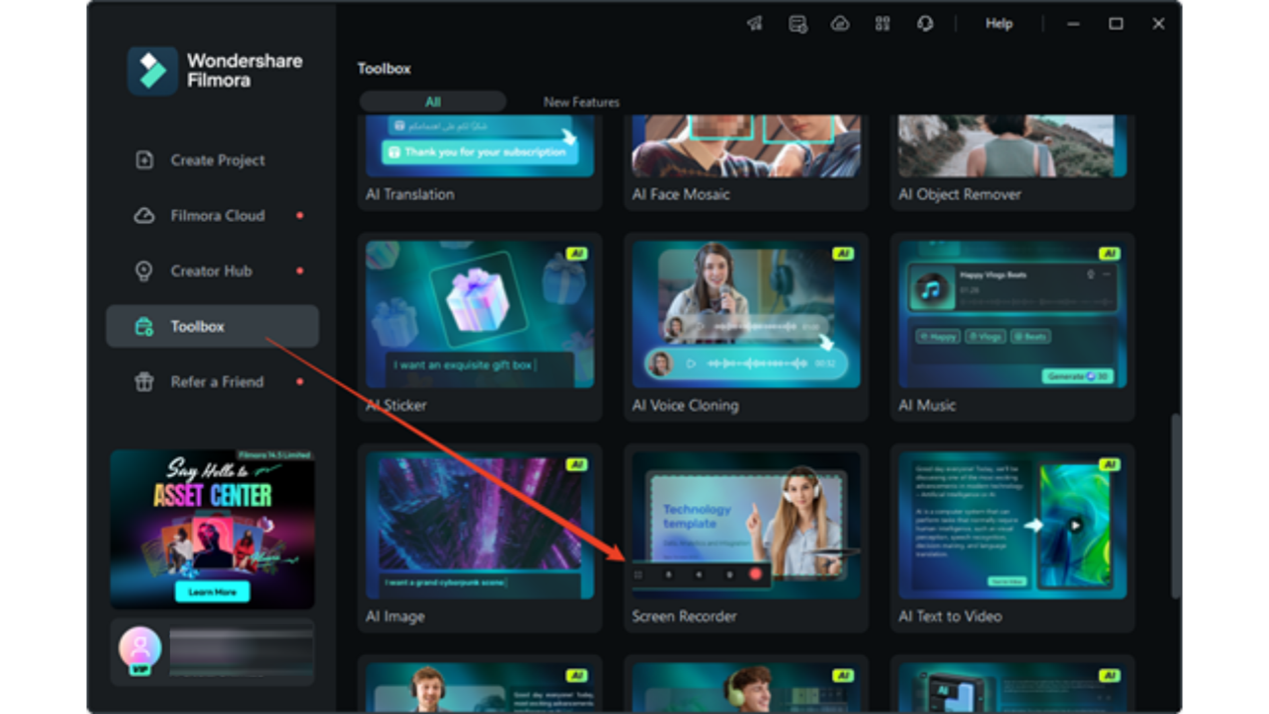
Step 1: Select the Screen Recorder tool on the Filmora’s startup window or the Toolbox panel.
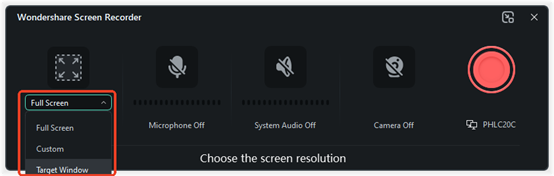
Step 2: Select the area you want to capture and set the microphone, system audio, camera, and other settings.
Step 3: Start recording by pressing the big red button as the Super Bowl game starts.
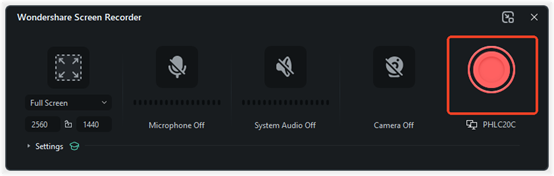
When the game or moment you want is over, open the recording controls and click Stop. The recorded clip will then be sent straight to the video editing workspace, so you can start editing right away without importing anything manually.
2. Edit Reaction and Commentary Videos
Filmora’s screen recorder supports webcam recording alongside your screen, so you can capture your real-time reactions while recording the game.
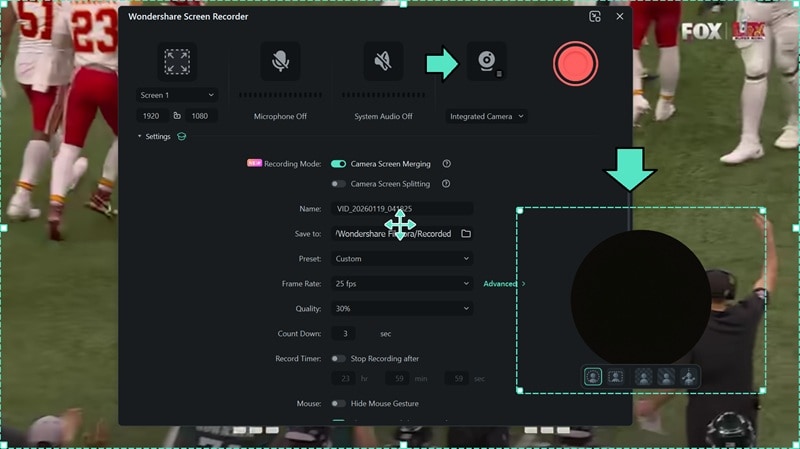
What you need to do is enable the webcam in the recording settings. Once it’s on, a webcam preview window will appear. You can adjust the background, whether you want it blurred, removed, or kept as is, before you start recording.
3. Make Super Bowl Game Highlight Recaps
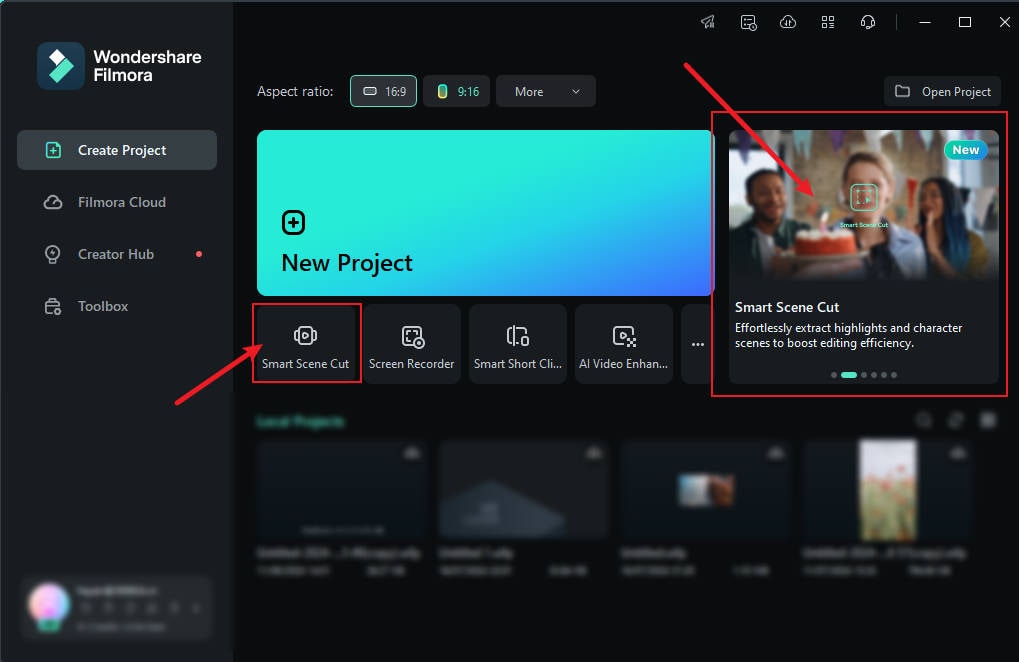
Because the Super Bowl can last several hours, digging through a long recording to find the best moments for a game highlight video can already feel stressful. However, that won’t be the case if you’re using Filmora’sSmart Scene Cut.
This feature uses AI and advanced algorithms to help you automatically extract key moments from your footage based on characters, actions, or moments on screen. After selecting the parts you want to keep, you can easily edit the rest inside the editor.
How to Create the Super Bowl Game Highlight Recap
Step 1: Open Smart Scene Cut from the startup window or the Toolbox panel.
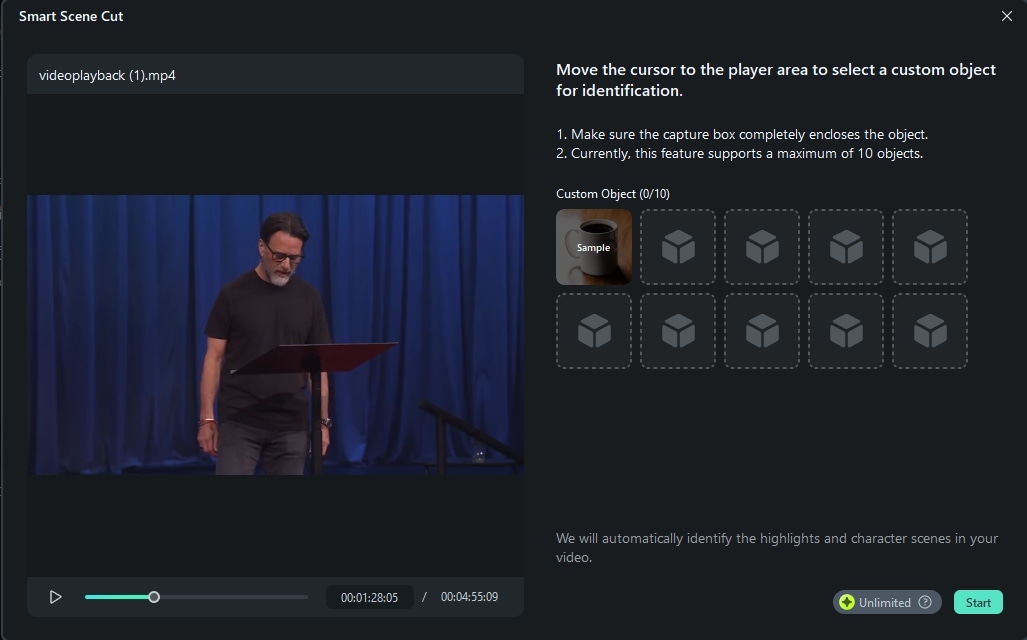
Step 2: Upload the Super Bowl video you want to edit. Then, click Start and wait while the AI scans the footage.
Step 3: Choose from the three selection categories: Highlight Scene, Character Scene, or Custom Object. Click Add on the scenes you want, and they’ll be saved to a list for your timeline.
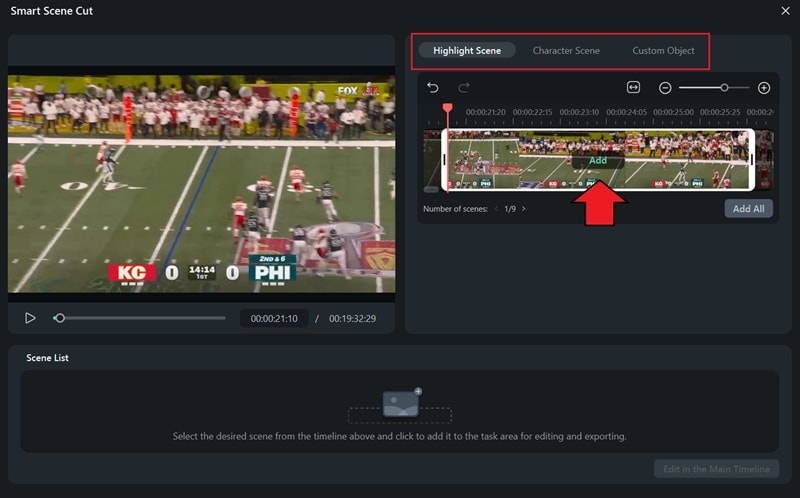
After selecting every scene you need, click “Edit in the Main Timeline." It will take you straight to the main editing workspace, where you can make further edits.
4. Create a Watch Party Invitation Video
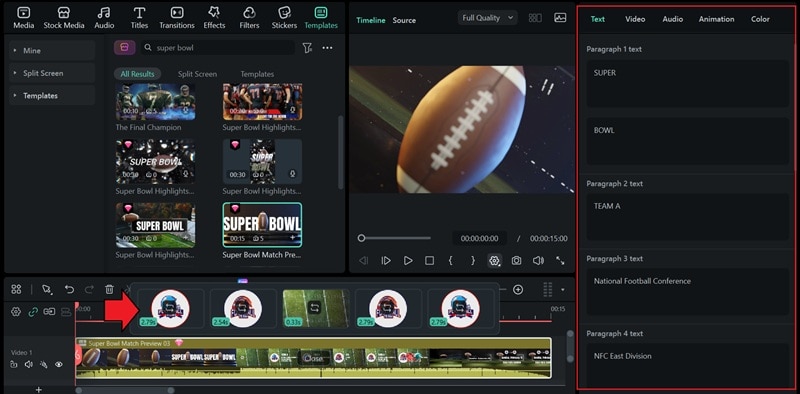
What’s more fun than watching the game with friends or fellow fans? Create a watch party invitation video using Filmora and invite them to join the excitement! You can start from scratch or save time by using a ready-made video template that you can easily customize with your own caption, clips, and details.

How to Create a Watch Party Invitation Video for the Super Bowl
Step 1: Inside Filmora’s editing workspace, head to the Templates tab to find plenty of video templates in different styles. Download the one you like and drag it onto the timeline to start editing.
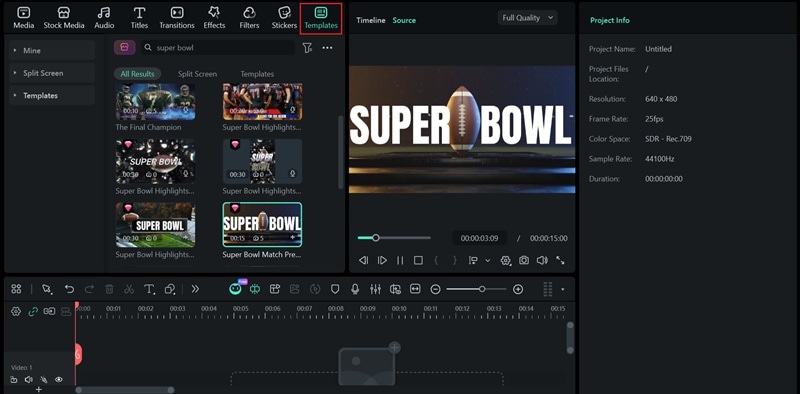
Step 2: Swap in your own clips, change the text, and tweak the details to match your plans.
Conclusion
As the Super Bowl draws closer, now you know where the Super Bowl is streaming this year, whether that means tuning in on TV, streaming it online, or catching replays afterward.
Besides enjoying the game, it’s also an opportunity to turn this year’s Super Bowl into video content you can share with fellow fans. Tools like Filmora make this process easier by letting you record and edit in one place, so you can relive the excitement and share it while the hype is still fresh.
