
De praktische toepassingen van bewegingsvervagingseffecten

What Is a Motion Blur Effect?
Motion blur effects transform a dull image into an eye-catching piece of entertainment by creating an illusion of motion within an image. This visual phenomenon can be executed by simply blurring the moving objects inside a picture. As you apply this effect, moving objects turn into streaks or blurs in the direction of their movement.
By prolonging camera exposure and opting for high-speed movements, you can create a sense of speed and dynamism in a scene. Motion blur effects can be achieved either through photography by using a slow shutter speed or through post-production editing. For the editing, you can adjust the motion and intensity of the blur using a high-end video editor such as Wondershare Filmora.
Filmora offers an excellent solution for people who are into motion blur photography. You can choose from extensive motion blur effects to create a swift movement in your objects. To enhance the visual impact, you can play with the size and intensity of the blur. As you explore each effect in the library, you can achieve different blur visuals.
Een cinematografische sfeer creëren
In actiefilms, bewegingsonscherpte-effecten kunnen de urgentie van een achtervolging op hoge snelheid of een intense gevechtsscène benadrukken. Daarnaast kan de juiste intensiteit van de onscherpte gewenste emoties en stemmingen oproepen bij het publiek. Kortom, bewegingsonscherpte-effecten zijn een veelzijdig hulpmiddel voor cinematografen om realistische bewegingen vast te leggen en bepaalde emoties bij kijkers op te wekken.
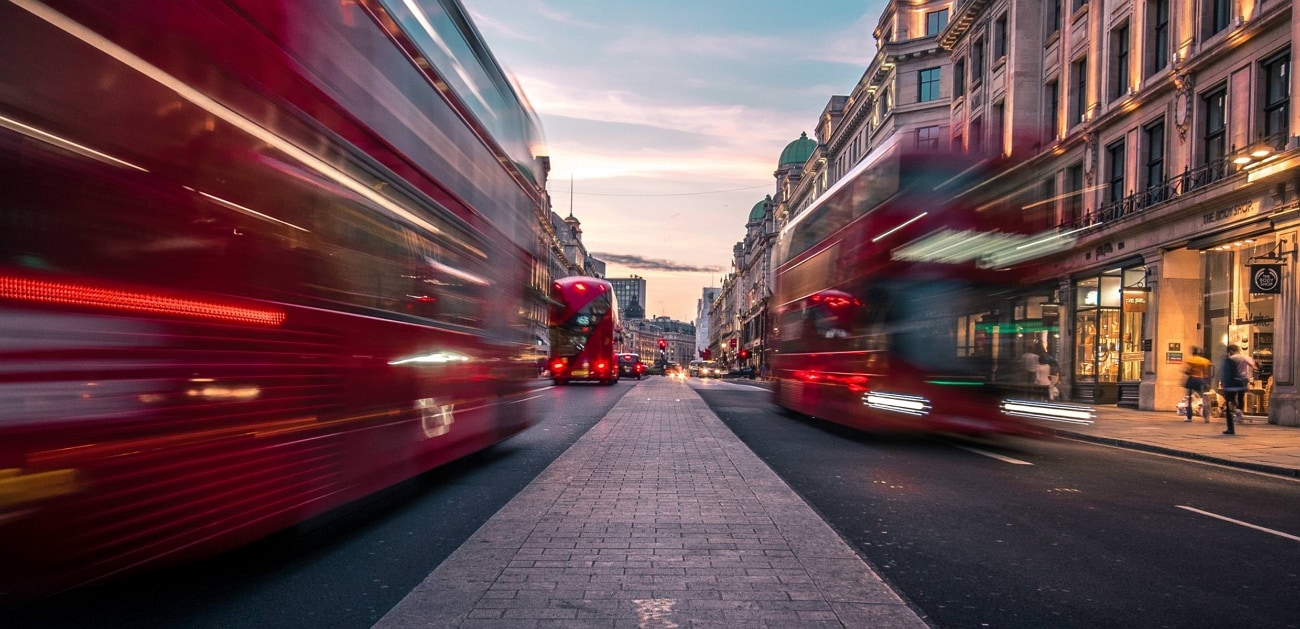
Een dagelijkse vlog verfraaien
Door bewegingsonscherpte toe te voegen aan je vlog, kun je deze veranderen in een cinematografische visuele ervaring. Een subtiel bewegingseffect kan soepel van de ene naar de andere scène overgaan. Een sterke bewegingsonscherpte kan de snelheid van snelle activiteiten zoals fietsen of rennen accentueren. Zachte, dromerige onscherpte-effecten in video's geven reflectie en dagdromen in een scène weer.
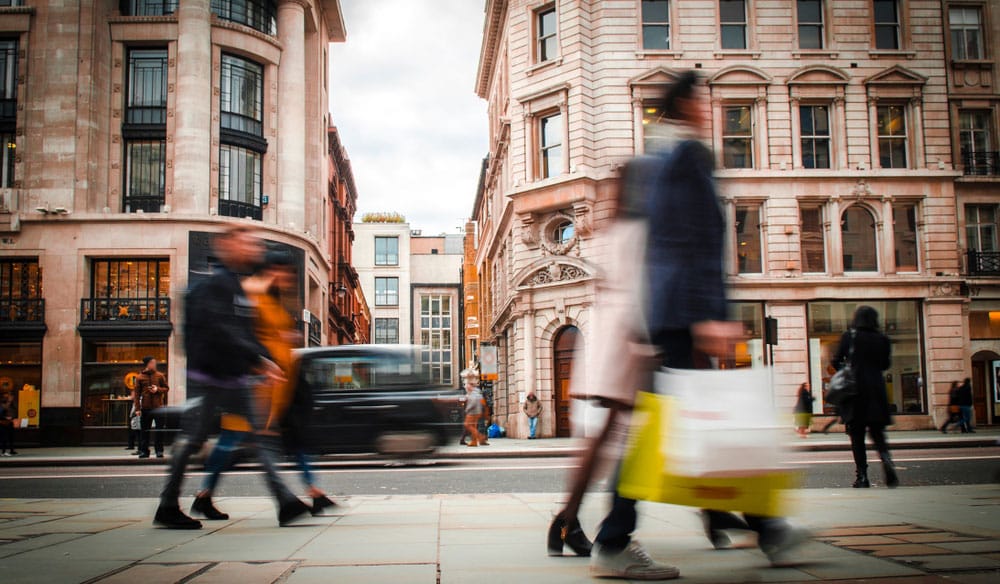
Maak een product promotievideo
Tijdens het adverteren van een product in actie kunnen onscherpte-effecten worden gebruikt om de behendigheid en elegantie te benadrukken. Adverteerders kunnen bewegingsonscherpte toevoegen in overgangen tussen scènes om een samenhangende en naadloze wisseling van scenario's te creëren. Door emoties over te brengen, impactvolle beelden te creëren en de aandacht te trekken, is onscherpte een krachtig hulpmiddel voor reclame.
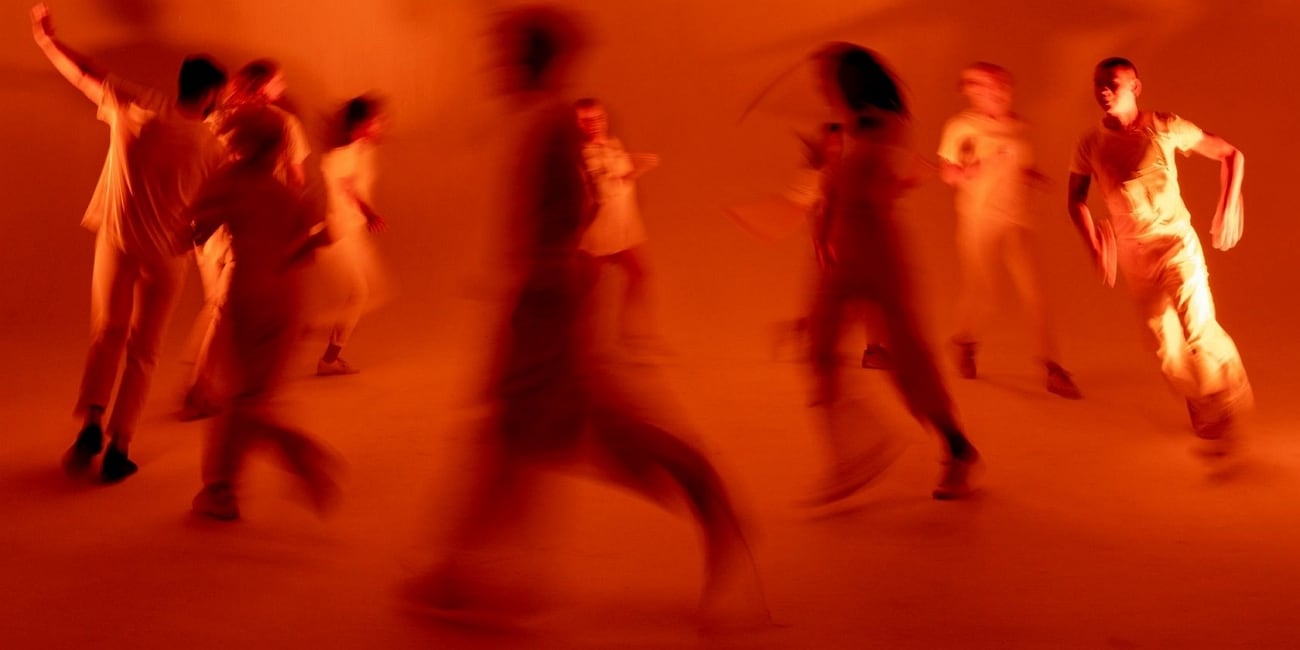
AI video editor takes you on a advanced motion blur effect creation journey
Step To Use Motion Blur Effect in Filmora
Wondershare Filmora offers unique features that blur the motion of moving objects in the video. Follow the comprehensive guide below to add blur background effects using this platform:
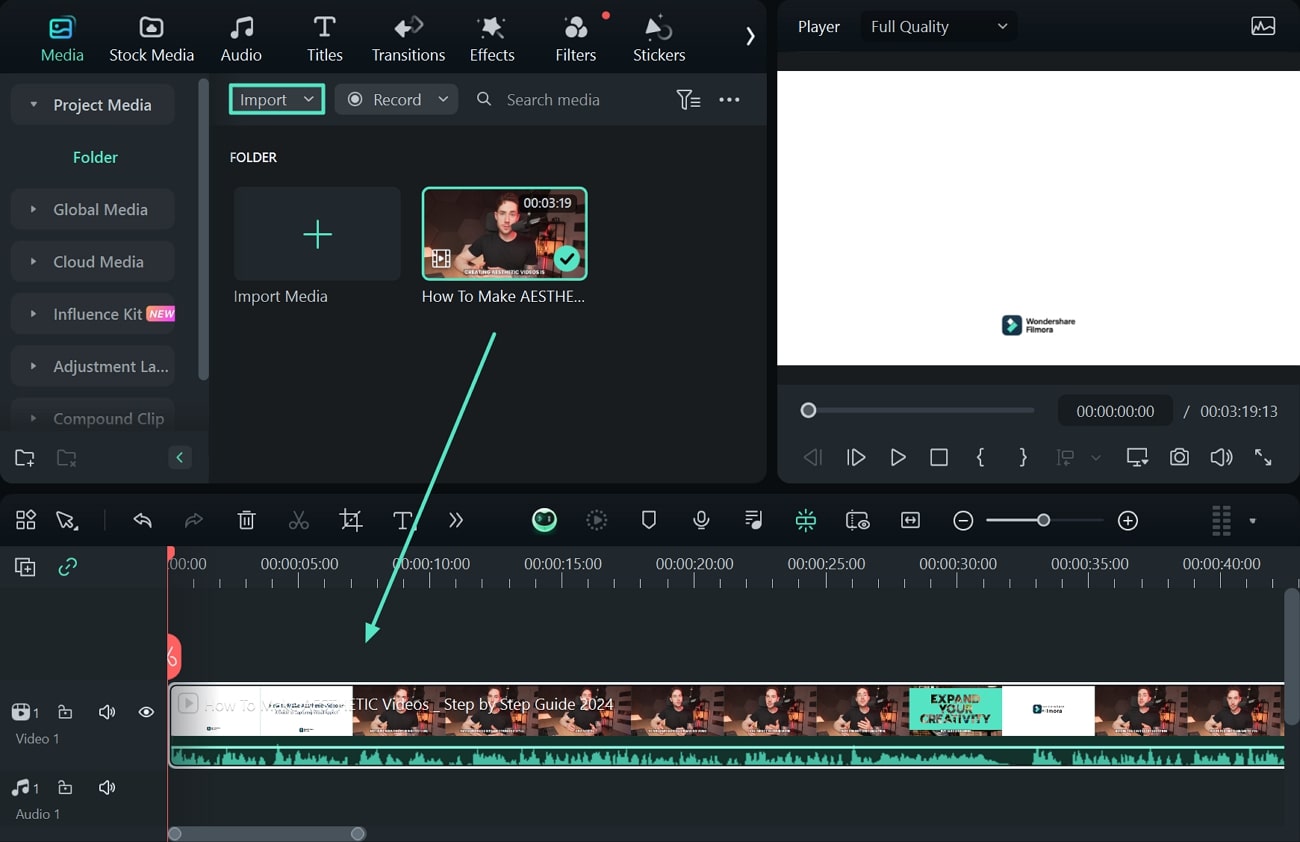
Step 1. Initiate a New Filmora Project and Import Media
To begin the process, start a new project on Filmora, click "Import," upload the video, and drag it to the timeline.
Step 2. Add the Tilt-Shift Effect to the Target Object
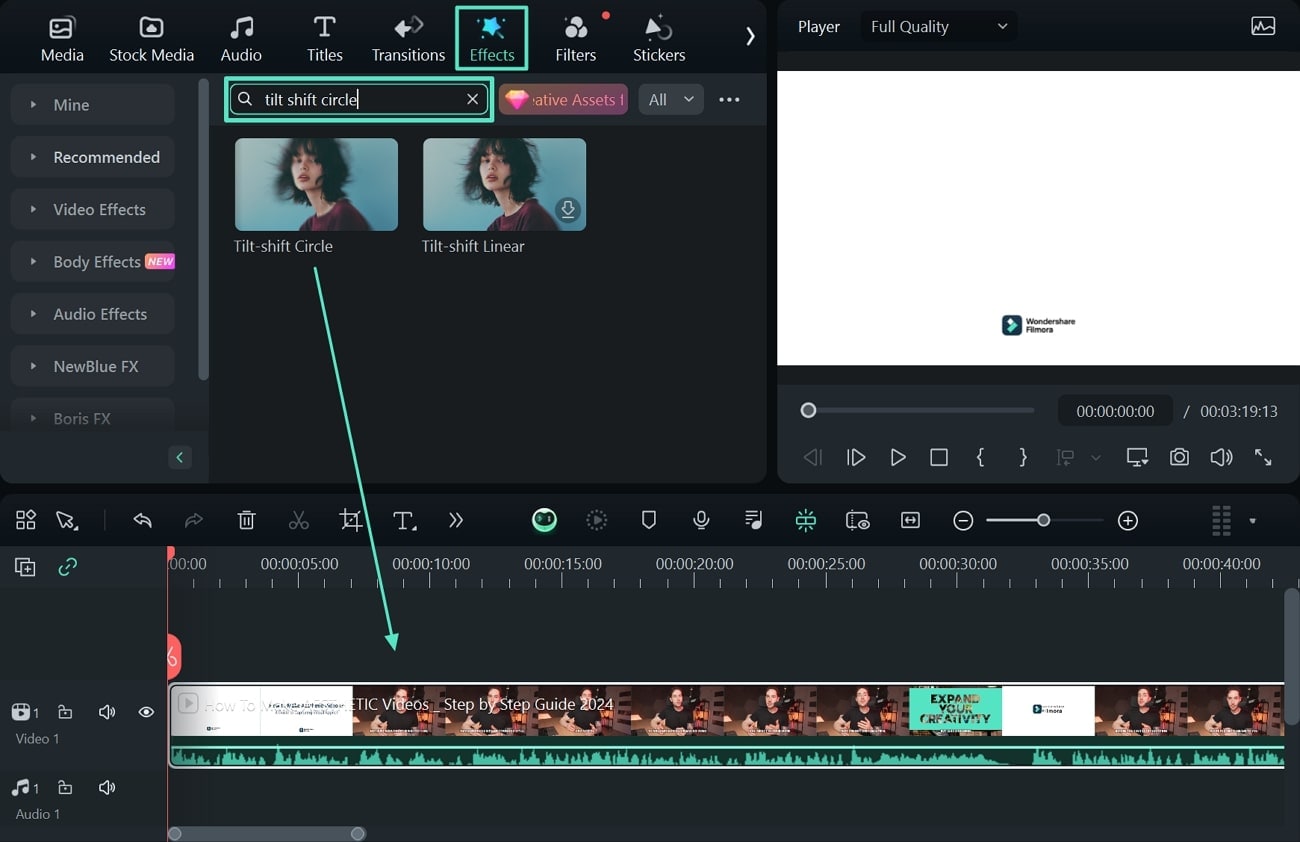
Next, access the "Effects" tab, search for the "Tilt-shift Circle" effect, and drag it to the timeline.
Step 3. Adjust the Size and Intensity of the Motion Blur
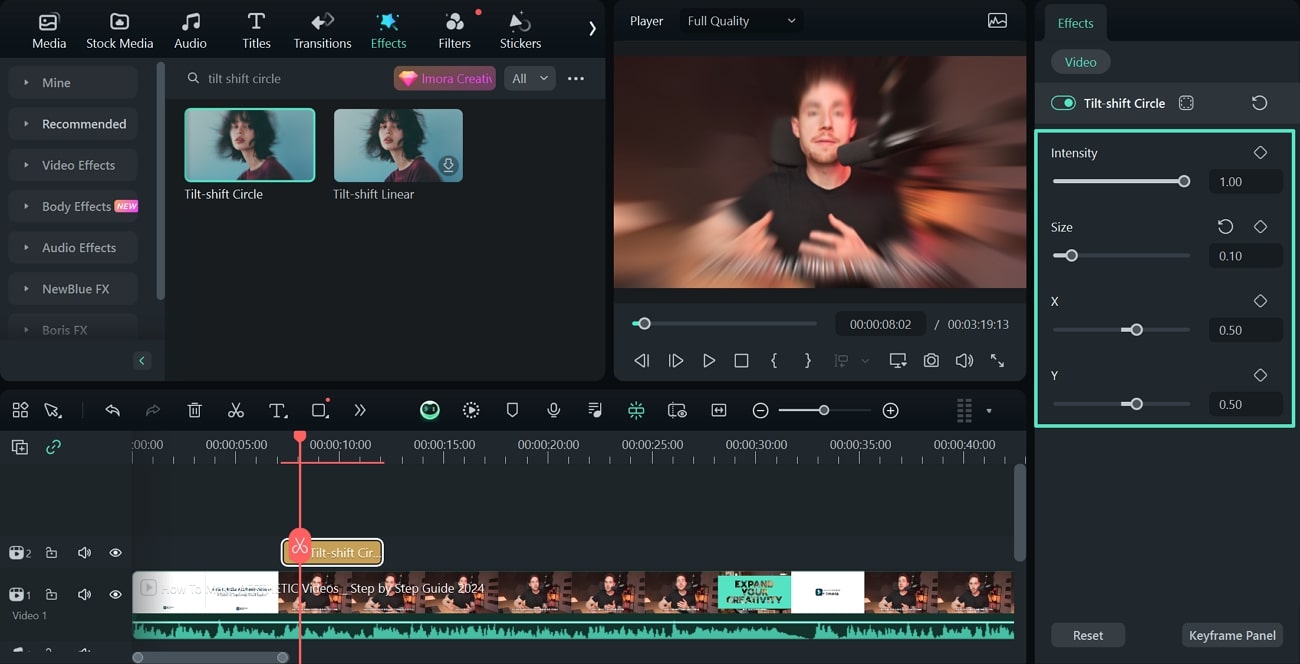
To obtain the perfect motion blur effect, adjust the size and intensity of the blur by dragging its respective sliders.
Step 4. Export the Project With the Motion Blur Effect
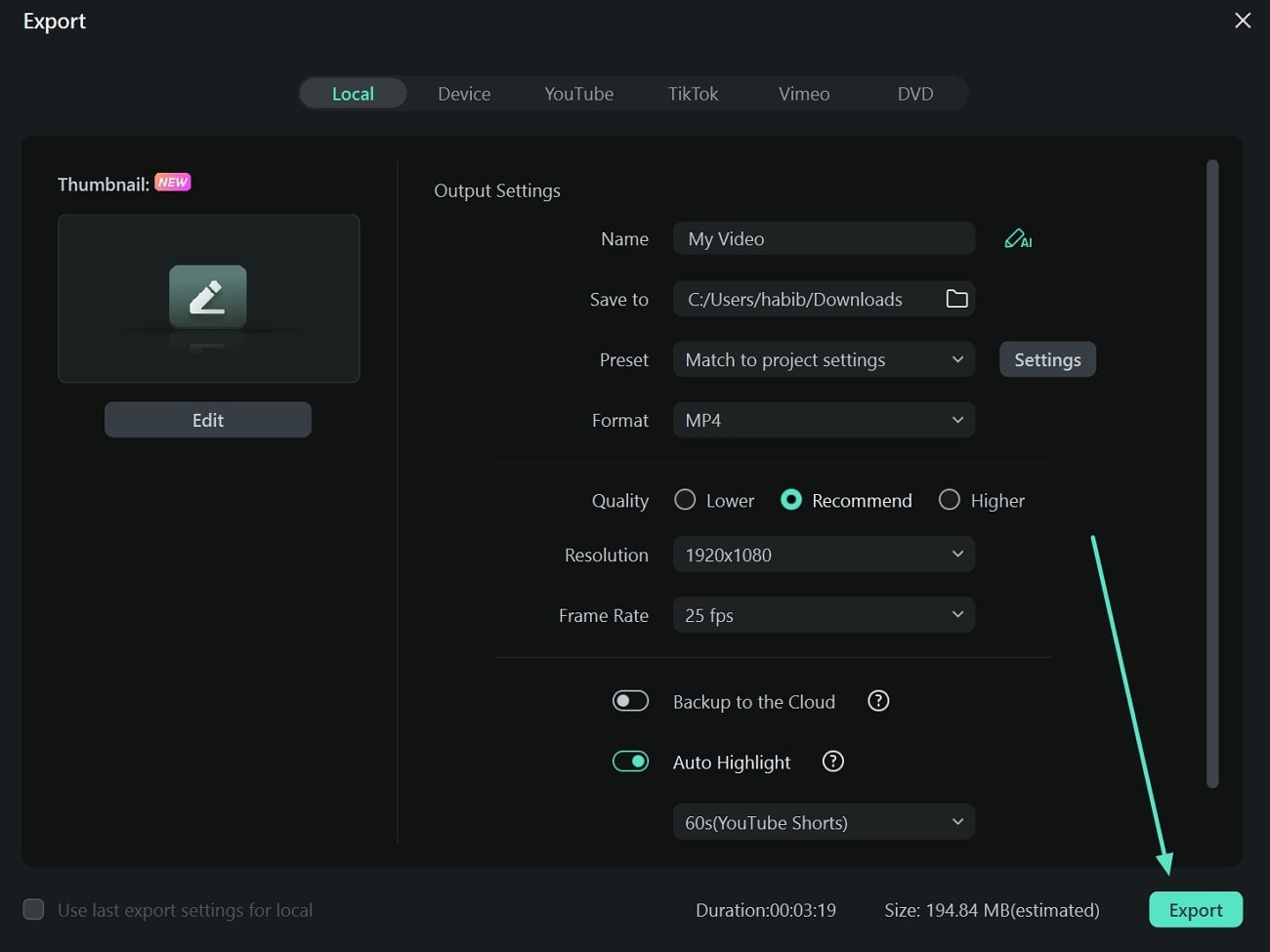
After reviewing the final changes, hit the "Export" button to enter the file configurations. Finally, click the "Export" button to save the blur-motioned video file on your device.
Conclusion
To summarize the discussion, motion blur effects have a notable significance in cinematography. You learned about the practical applications of these effects and how they add a cinematic vibe to a mediocre-looking video. Wondershare Filmora offers a wide variety of utilities that add blurred motion to your videos.